Signal Interference Glitch Look Recipe
The Signal Interference recipe captures the tense moment an analog broadcast breaks apart mid-transmission. By pairing heavy noise grid structures with rhythmic vertical displacement and muted color separation, this look turns crisp video into a decaying transmission scrambling against rogue interference, perfect for landing high-impact cuts and dramatic edits.
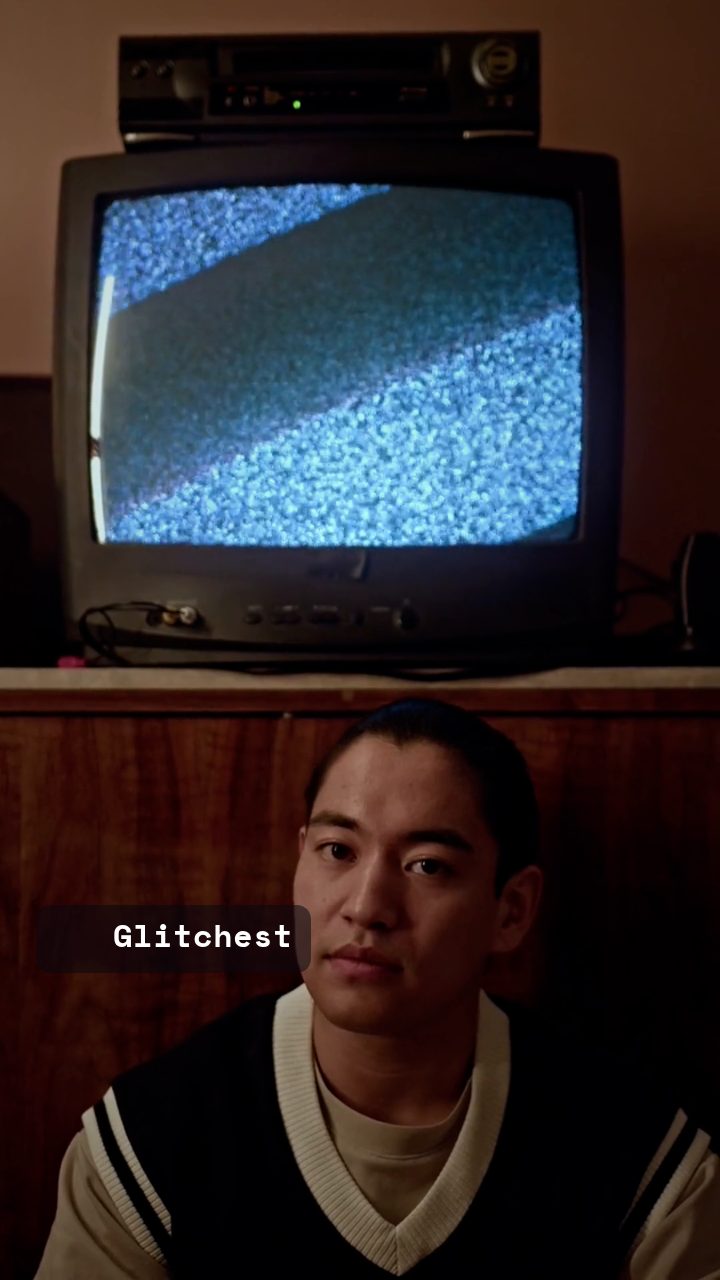 BEFORE
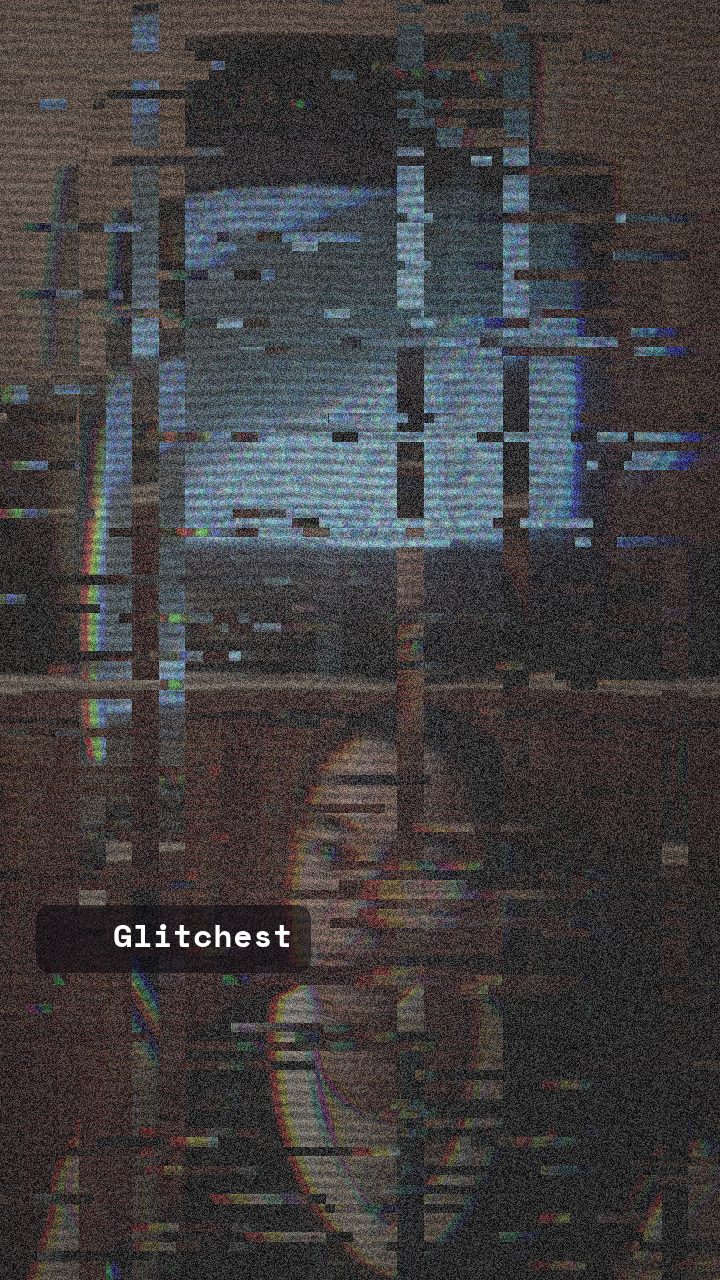 AFTER
AFTERWhy this look works
This aesthetic relies on building an authentic feeling of hardware distress. Heavy static noise and dense scanline grids form the textural layer, establishing the immediate sensation of a weak antenna signal or corrupted monitor feed before any motion glitching occurs.
The Mechanics of Signal Decay
Vertical Shake and Vertical Shift do the heavy mechanical work, breaking vertical frame synchronization so the picture stutters up and down. A touch of Datamosh trails smears these shifted frames across time, mimicking keyframe corruption without completely melting the underlying subject.
RGB Split and Grayscale tone down chromatic saturation, keeping colors desaturated like a struggling CRT tube. Overpushing the horizontal displacement or datamoshing knobs will collapse the image into abstract noise, so balance is essential to keep the source material recognizable under the distortion.
The recipe
Start from the Signal Jam preset, then set:
| Strength (master) | 46 |
| Glitch Rate | 26 |
| Glitch Width | 34 |
| Block Size | 40 |
| Chaos | 30 |
| Datamosh (trail) | 15 |
| Horizontal Wave | 34 |
| Vertical Wave | 24 |
| Vertical Shift | 32 |
| Vertical Shake | 32 |
| RGB Split | 32 |
| Grayscale | 32 |
| Noise | 92 |
| Scanlines | 74 |
| Flicker | 52 |
Everything else stays at its default — tweak it, then copy your own look as JSON or a link from inside the editor to share it.
What footage suits it
Because this look tears frame geometry apart with displacement, your source material needs distinct visual markers to maintain context through the static.
- High-contrast subjects such as illuminated neon signs, backlit silhouettes, or bright studio portraiture.
- Clips with steady, moderate motion where focal points stay clearly defined against moving background noise.
- Scenes featuring strong geometric structures, bold graphics, or direct-to-camera dialogue.
- Avoid dark, low-contrast footage with muddy shadows where static noise will completely swallow the subject.
Common mistakes
- The screen turns into an unreadable dark smear: Lower Datamosh (trail) to stop corrupted frames from stacking into solid mud.
- Visual strobing is too aggressive for comfort: Dial back Flicker to smooth out sudden brightness drops while preserving scanlines.
- The subject loses all shape and visual identity: Reduce Block Size or Vertical Shift to restore the primary contours of your frame.
When to use it
The Signal Interference look excels whenever your edit calls for sudden disruption, narrative tension, or retro broadcast aesthetics.
- Glitchy intros: Hook viewers instantly by simulating a hacked or broken signal right at the start of your video.
- Cut-to-static transitions: Hide abrupt cuts between scenes behind a momentary burst of television noise.
- Tension beats: Disrupt interview clips or surveillance footage to accentuate dramatic moments and security alerts.
- Channel branding: Give graphic elements an edgy analog texture, ideal when designing channel assets like in our guide on How to Make a Glitchy YouTube Channel Banner for Free.
Tweak tip: Bring your clip into the editor, apply the Signal Jam preset as your foundation, and briefly nudge Vertical Shake upward right on transition frames for maximum impact.
Try it now — add this look to your own clip, free and in your browser.
Open the editor →FAQ
How do I prevent the Signal Interference effect from making text unreadable?
Lower the Block Size knob slightly or reduce master Strength so the character structures remain recognizable through the static broadcast noise.
Why does my video flicker too aggressively with Signal Interference?
High Flicker combined with dense static causes rapid strobe effects; ease back on the Flicker knob while leaving Scanlines elevated to maintain the CRT feel.
Can I use the Signal Interference look on still photos?
Yes, the combination of horizontal screen displacement, color separation, and static noise produces a convincing frozen broadcast breakdown on still images.