Retro Handheld Look Recipe: 2-Bit Dot Matrix Style
Recreate the iconic aesthetic of early 90s monochrome handheld gaming right in your browser. The Retro Handheld look converts modern video and photos into a low-resolution, dot-matrix display complete with pea-soup green tones and chunky pixel grids. It gives modern footage a nostalgic, pocket-console charm instantly.
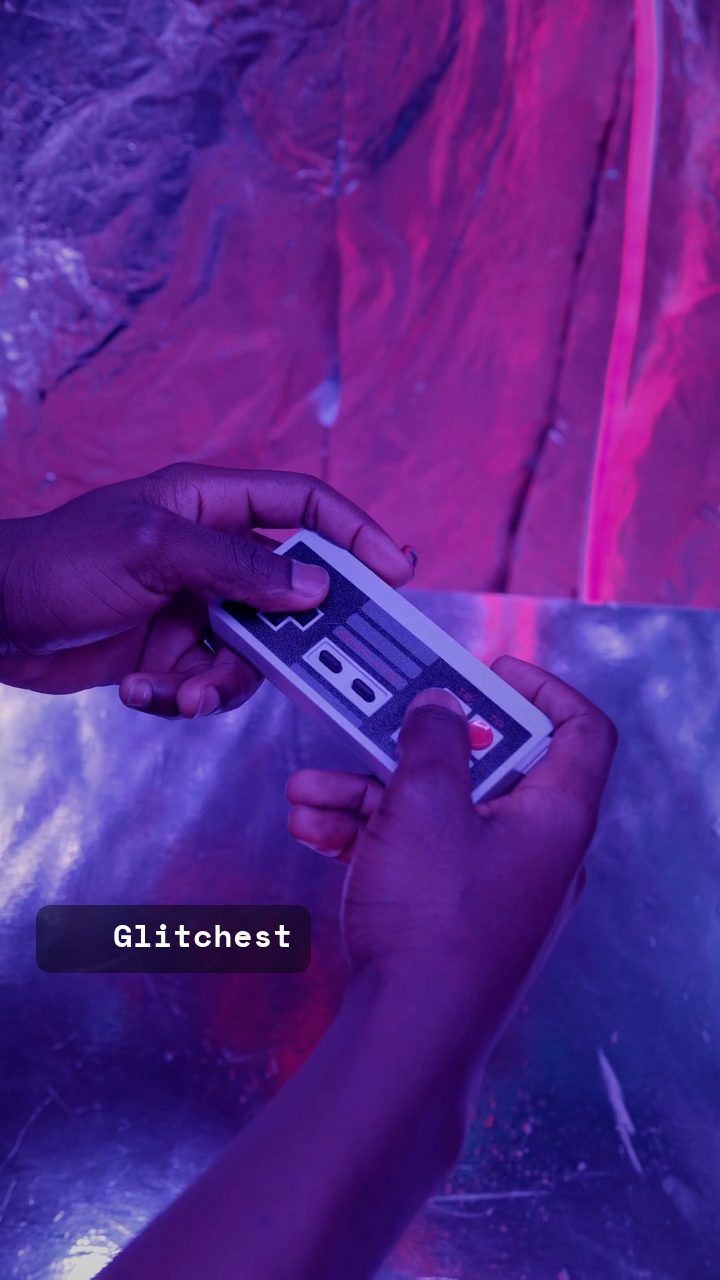 BEFORE
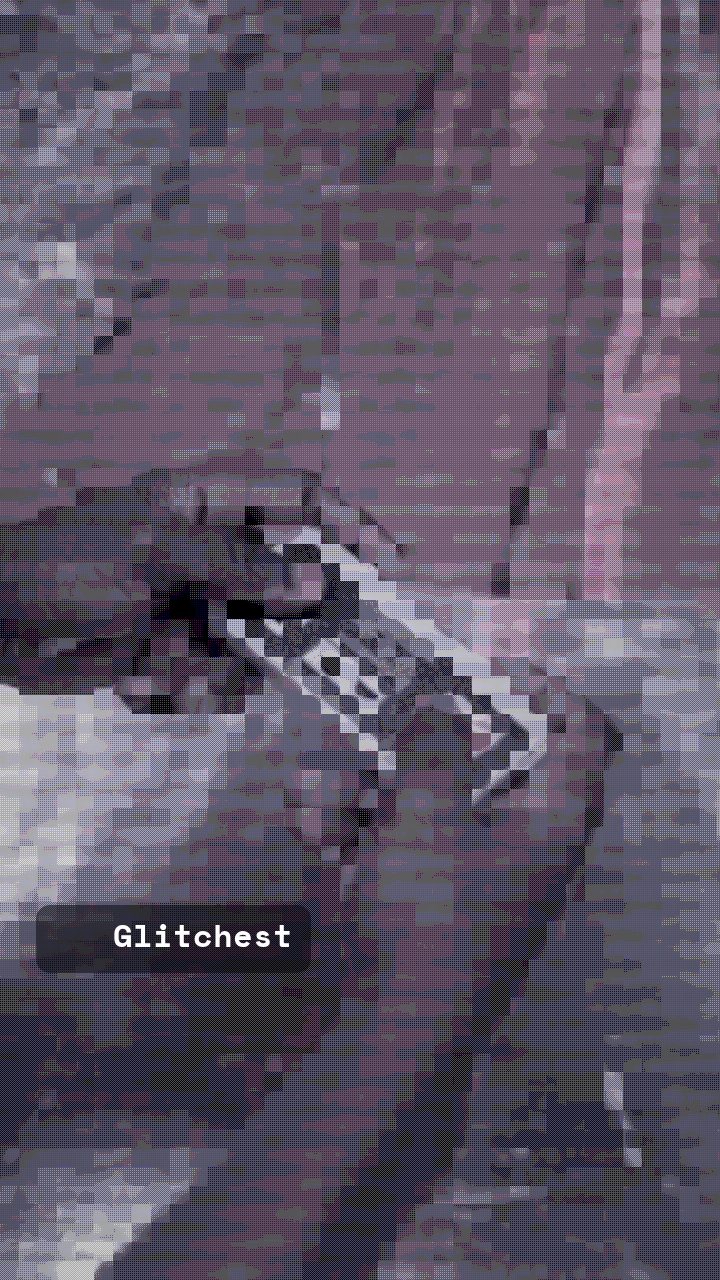 AFTER
AFTERWhy this look works
Deconstructing the Handheld Display
The defining character of this look comes from binding down color depth while shrinking visual resolution. Retro Palette and Target Color work in tandem to strip away full RGB fidelity, remapping every tone into a narrow olive-and-black spectrum reminiscent of early passive-matrix LCD screens. Meanwhile, Grayscale and Color Boost balance the midtone contrast so objects remain identifiable under monochrome restrictions.
Pixelate does the structural heavy lifting by crunching detail into defined square blocks. Adding subtle Scanlines breaks up those blocks into distinct horizontal pixel rows, simulating the physical grid lines of a dot-matrix panel. Push Pixelate too high and complex shapes collapse into unrecognizable squares; back off Scanlines too much and you lose that distinct screen-glass geometry.
The recipe
Start from the Retro Handheld preset, then set:
| Target Color | 34 |
| Color Boost | 50 |
| Contrast | 58 |
| Grayscale | 72 |
| Scanlines | 20 |
| Pixelate | 66 |
| Retro Palette | 84 |
Everything else stays at its default — tweak it, then copy your own look as JSON or a link from inside the editor to share it.
What footage suits it
Because early portable screens lacked backlights and high contrast, picking source footage with distinct shapes is crucial for optimal results.
- High-contrast framing: Subject silhouettes with bright backgrounds translate cleanly into 2-bit pixels.
- Slow, deliberate motion: Fast camera pans blur into unreadable blocks when downscaled heavily.
- Centered portraits: Facial features stay recognizable when shot up close with clear lighting.
- Avoid noisy textures: Complex backgrounds like autumn foliage or water ripples create messy pixel noise.
Common mistakes
- The image becomes a solid blob of green: Over-cranking contrast strips all midtones away. Lower Contrast to restore subtle detail in shadow areas.
- Facial features are completely indistinguishable: The downscaling grid is too coarse for fine details. Pull back Pixelate to increase grid density and sharpness.
- The video looks like standard black-and-white: Target Color or Retro Palette aren't exerting enough influence. Dial up Retro Palette to force the green monochrome color mapping.
When to use it
The Retro Handheld look shines whenever you want an instantly recognizable retro gaming aesthetic or low-fidelity digital vibe.
- Pixel Selfies: Transform headshots into 2-bit sprite portraits for social avatars and forum banners.
- Lo-Fi Music Loops: Pair chill chiptune or synth tracks with looping low-res animations for social stories.
- Nostalgia Edits: Convert modern tech or gaming clips into retro pocket-console promos.
- Chiptune Cover Art: Create quick retro game art directly inside the editor.
For a slightly richer aesthetic inspired by 16-bit home consoles rather than monochrome portables, check out our guide on the Retro Game Console Look Recipe: 16-Bit Pixel Style. If your output feels too dark, adjust Color Boost slightly to lift shadow values before finalizing your export.
Try it now — add this look to your own clip, free and in your browser.
Open the editor →FAQ
How do I get the classic olive-green tint instead of black and white?
The combination of Retro Palette and Target Color forces highlights and shadows into iconic pea-soup green tones. Keeping Grayscale slightly below maximum allows those color channels to map properly.
Why does my text or face look illegible after applying Retro Handheld?
High Pixelate values reduce detail dramatically to mimic early low-resolution displays. If crucial details are lost, step back the Pixelate slider slightly or boost source contrast before applying the effect.
Can I use this look for looping animated GIFs?
Yes, the simplified color space renders quickly in your browser and compresses efficiently for animated GIFs or retro social banners. You can export directly from the editor without extra software.