Funhouse Mirror Ripple: Vertical & Horizontal Wave Warp
Combining vertical and horizontal wave displacement produces a fluid, undulating distortion that mimics vintage carnival funhouse mirrors and warped lens glass. While professional compositing suites require multi-node displacement maps, you can achieve this organic ripple instantly inside your browser without heavy render pipelines.
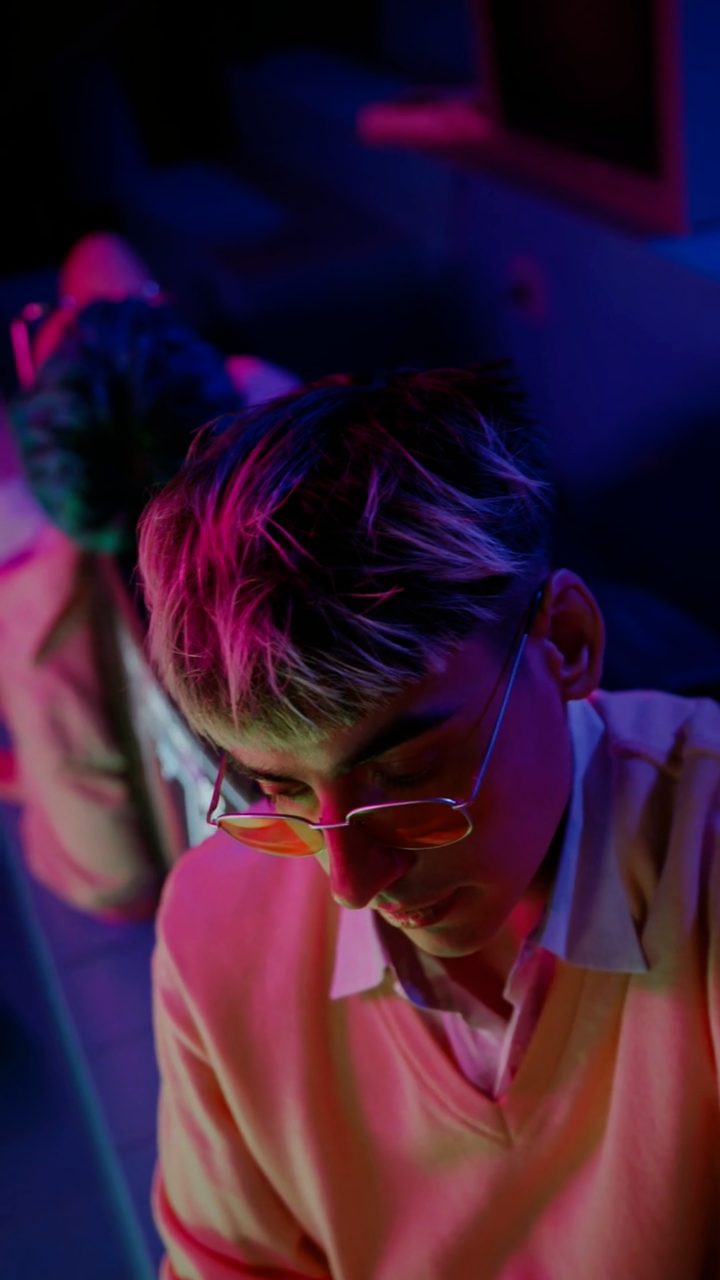 BEFORE
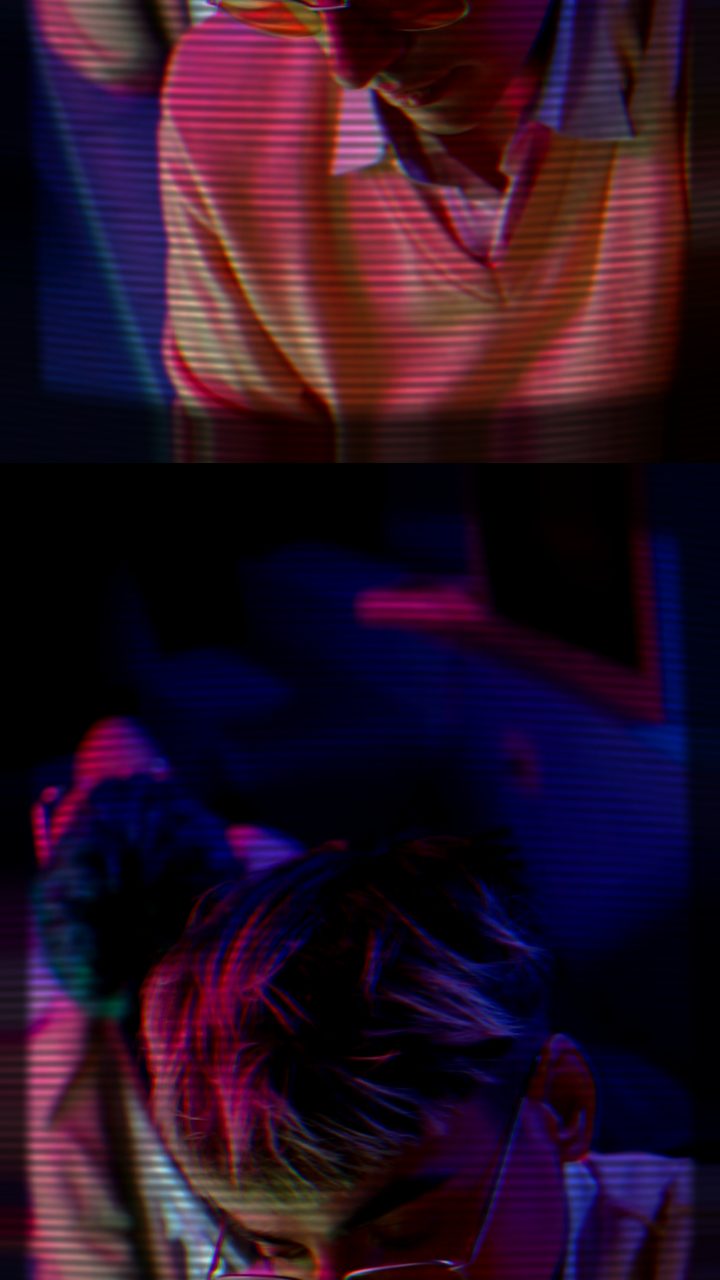 AFTER
AFTERThe Two-Axis Displacement Principle
A standard horizontal wave shifts horizontal pixel rows left and right, creating the classic liquid shimmer often used for heat haze or water reflections. Conversely, a vertical wave compresses and stretches columns vertically, producing an accordion-like distortion. When applied in isolation, each axis feels synthetic and flat.
Stacking both axes simultaneously creates an asymmetrical, multi-dimensional warp. As the horizontal troughs cross the vertical crests, the canvas bends into complex curvilinear warps that simulate thick curved glass, cathode-ray screen wobble, and carnival funhouse mirrors. If you have explored our guide on combining horizontal wave and chroma bleed, you will find that introducing vertical motion elevates a simple shimmer into a true volumetric distortion.
Desktop Compositors vs. Browser-Based Speed
In traditional desktop NLEs like Adobe After Effects or DaVinci Resolve, building a compound wave warp is precise but labor-intensive. In After Effects, you typically stack multiple instances of Wave Warp set to different angles (0° and 90°), link phase offsets with expressions, or create an animated displacement map using fractal noise. In DaVinci Resolve's Fusion page, the effect requires routing media through Displace nodes driven by coordinate gradient fast noise.
These traditional methods offer boundless parameter control, but setting up routing, caching playback, and balancing project overhead takes time. When you need rapid experimentation for music visuals, social edits, or stylized title cards, working in a dedicated real-time tool offers an immediate creative shortcut.
With the Glitchest editor, processing runs entirely client-side via hardware-accelerated WebCodecs. There are no files to upload, no account requirements, and zero project file overhead. You preview compound wave interactions at full frame rate directly on your local machine.
Setting Up the Funhouse Ripple in Glitchest
To establish the physical texture of curved glass or an old curved display, start with a solid foundation before dialling in the waves:
- Load your media: Open the editor and drag your video or still image into the workspace.
- Apply the CRT TV preset: Select the CRT TV preset from the presets panel. This preset injects screen curvature, ambient glow, subtle scanlines, and vertical sync tension that give your source footage an analog physical container.
- Adjust the optical base: Nudge the CRT Curve + Glow slider higher to exaggerate the barrel bulge, giving the center of your frame that magnified funhouse perspective. Dial back the Scanlines if you prefer a clean liquid glass look over an electronic monitor aesthetic.
- Layer wave effect boxes on the timeline: Add an effect box to the timeline for the wave distortion. Layer separate boxes across timeline lanes to control the horizontal and vertical wave components independently.
- Shape the timing: Adjust the fade-in and fade-out durations on each box to transition the warp smoothly, or place short, compact boxes to trigger snappy, concussive wave hits on beat drops.
- Mask the distortion (Optional): If you only want a subject's face or a specific object warped like a mirror, enable an ellipse or rectangle mask on the active effect lane to isolate the ripple.
When to Use This Look
The warped ripple works exceptionally well in surreal music videos, psychedelic dream sequences, horror title cards, and stylized transitions. If your scene calls for an unstable psychological atmosphere or retro technological decay, pairing this compound wave setup with subtle chromatic shifts delivers an unsettling, tactile aesthetic without slowing down your editing timeline.
The exact settings
Start from the CRT TV preset, then set:
| RGB Split | 18 |
| Brightness | 53 |
| Contrast | 58 |
| Scanlines | 40 |
| Flicker | 10 |
| CRT Curve + Glow | 74 |
| Vertical Roll (TV) | 6 |
Everything else stays at its default — tweak it, then copy your own look as JSON or a link from inside the editor to share it.
Try it now — add this look to your own clip, free and in your browser.
Open the editor →FAQ
How do vertical and horizontal waves create a funhouse mirror look?
When horizontal displacement modulates horizontal scanlines while vertical displacement pushes columns unevenly, the two sinusoidal forces intersect to form an organic, liquid ripple across the frame.
Why start with the CRT TV preset for a warped glass effect?
The CRT TV preset pre-configures curvature, barrel distortion, phosphor glow, and signal sync displacement, providing an authentic optical base before layering wave distortions.
Can I isolate the warped ripple to a specific section of my clip?
Yes, you can draw a rectangular or elliptical mask around your subject to confine the warping to a face, background, or reflective surface while keeping the rest steady.