CCTV Surveillance Look: Security Cam Glitch Recipe
The CCTV Surveillance look strips away polish to deliver the raw, voyeuristic atmosphere of an unmonitored security monitor. By draining vibrant color, crushing contrast, and introducing delicate scanlines alongside analog grain, this recipe turns ordinary footage into an authentic, cold recording that feels like an intercepted piece of private evidence.
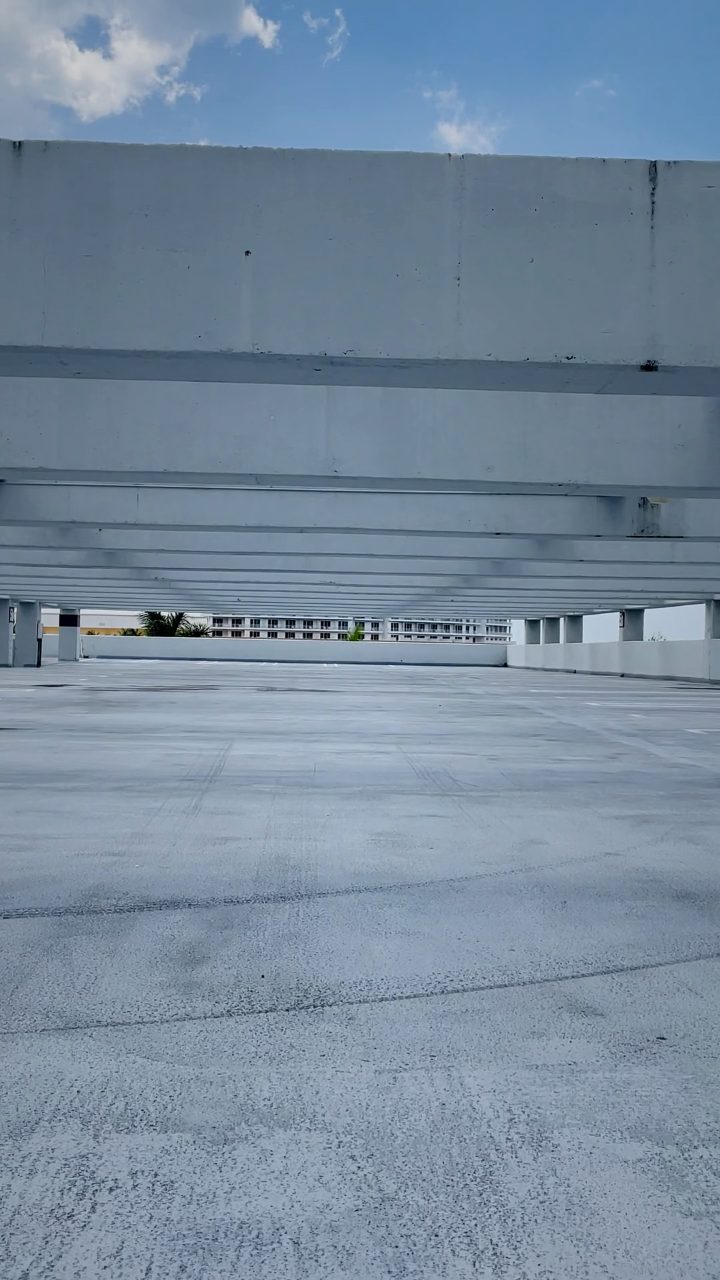 BEFORE
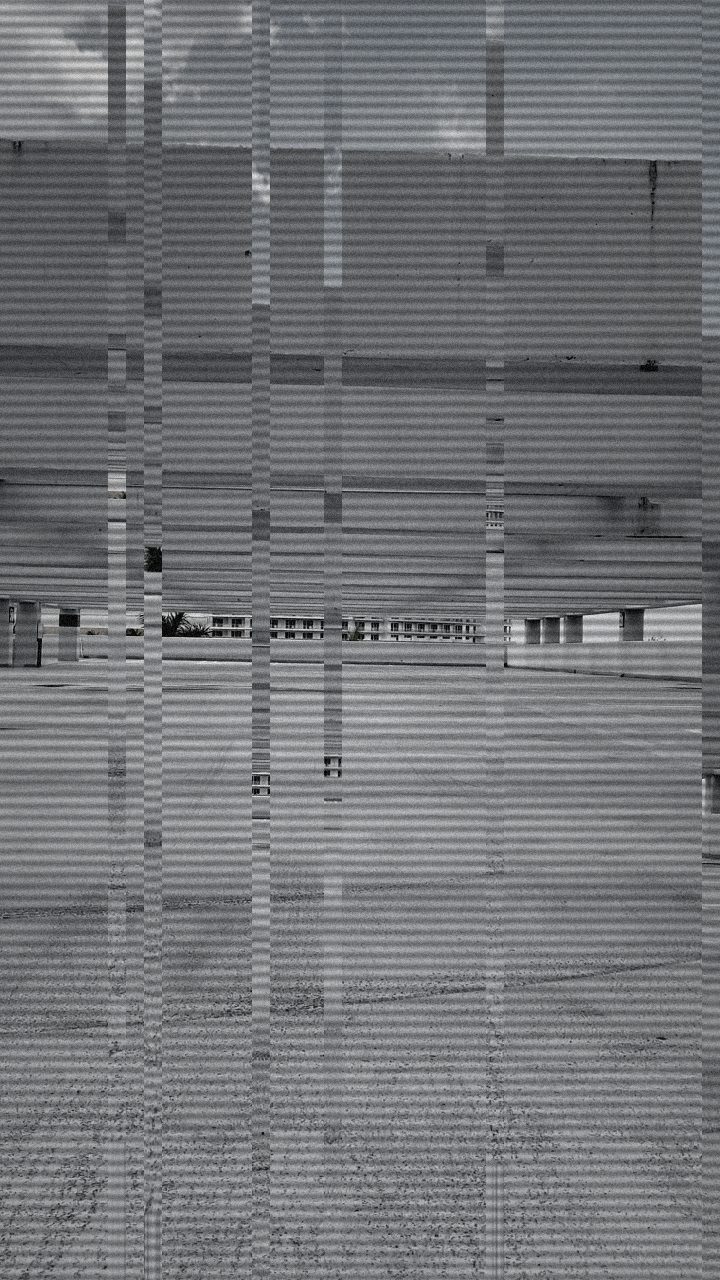 AFTER
AFTERWhy this look works
Building Cold Voyeurism
The core of this surveillance texture relies on near-total desaturation combined with aggressive tonal compression. Draining almost all color leaves just a trace of muted tint, mimicking cheap optical sensors struggling in poor lighting. Boosting contrast simultaneously crushes deep shadows and blows out harsh ambient lights, creating the stark, clinical quality common to commercial security rigs.
Subtle vertical drift and tight horizontal raster lines supply the missing hardware artifacts. While heavier CRT looks lean into violent warps, surveillance monitors require restraint; moderate scanlines ground the image on an interlaced grid, while a faint vertical displacement suggests an unsynced multiplexer. Pushing the drift too far turns the scene into a broken tape rather than an active, watchful broadcast.
The recipe
From a clean image, set:
| Vertical Shift | 20 |
| Contrast | 64 |
| Grayscale | 88 |
| Noise | 40 |
| Scanlines | 62 |
Everything else stays at its default — tweak it, then copy your own look as JSON or a link from inside the editor to share it.
What footage suits it
Surveillance aesthetics work best when the original framing mirrors the detached, static nature of real security installations:
- High-angle, wide-lens shots overlooking hallways, parking lots, rooms, or entrances.
- Static or tripod-locked takes where the camera ignores the subject's movement.
- Harsh overhead fluorescent lighting or dim, mixed-temperature ambient night light.
- Naturalistic, unposed human action that feels observed rather than performed.
Avoid handheld footage with rapid pans or dynamic cinematic depth-of-field, as shallow focus instantly breaks the cheap wide-angle illusion.
Common mistakes
- Pitch-black crushed shadows: If subjects disappear into solid black voids, reduce Contrast to restore critical shadow detail in dark corners.
- Overpowering static snow: If the feed looks like an untuned television rather than a camera sensor, dial back Noise until the subject remains clearly identifiable.
- Disorienting frame rolls: If the viewport jerks so violently that viewers lose the spatial layout, lower Vertical Shift to keep the surveillance view steady and grounded.
When to use it
The CCTV aesthetic instantly establishes unease, detachment, and narrative urgency across several video formats:
- Found-footage horror sequences and psychological thriller scene transitions.
- Narrative cutaways establishing an antagonist's hidden surveillance room.
- Security-cam visual gags and mockumentary b-roll.
- Industrial music video inserts and gritty world-building intros.
To try this preset on your clips, open the editor, select the Clean baseline, and dial in the texture. For deeper variation on security feeds and analog monitoring setups, consult our complete guide on the CCTV Surveillance Look Recipe: Security Feed Effect.
Try it now — add this look to your own clip, free and in your browser.
Open the editor →FAQ
Why does this recipe leave a tiny amount of color instead of full grayscale?
Retaining a faint trace of chroma replicates low-grade industrial sensors, which produce dirty, desaturated color casts under fluorescent lights rather than pure black-and-white.
How can I make the security feed look like an infrared night-vision camera?
Push grayscale completely to maximum and increase high-end luminance to mimic the blown-out reflections of active infrared illuminators.
Will fast-moving subjects look realistic with this look?
Yes, because the tight scanline grid and elevated contrast naturally accentuate movement, mimicking the lower frame rates and slow shutter speeds of real closed-circuit feeds.