CCTV Surveillance Look Recipe: Security Feed Effect
The CCTV Surveillance look creates an atmosphere of cold, voyeuristic observation. By draining color, raising static grit, and introducing subtle signal instability, your footage shifts from a clean modern clip into a forgotten feed buried on an unmonitored security drive—perfect for eerie thrillers, found-footage cuts, and atmospheric world-building.
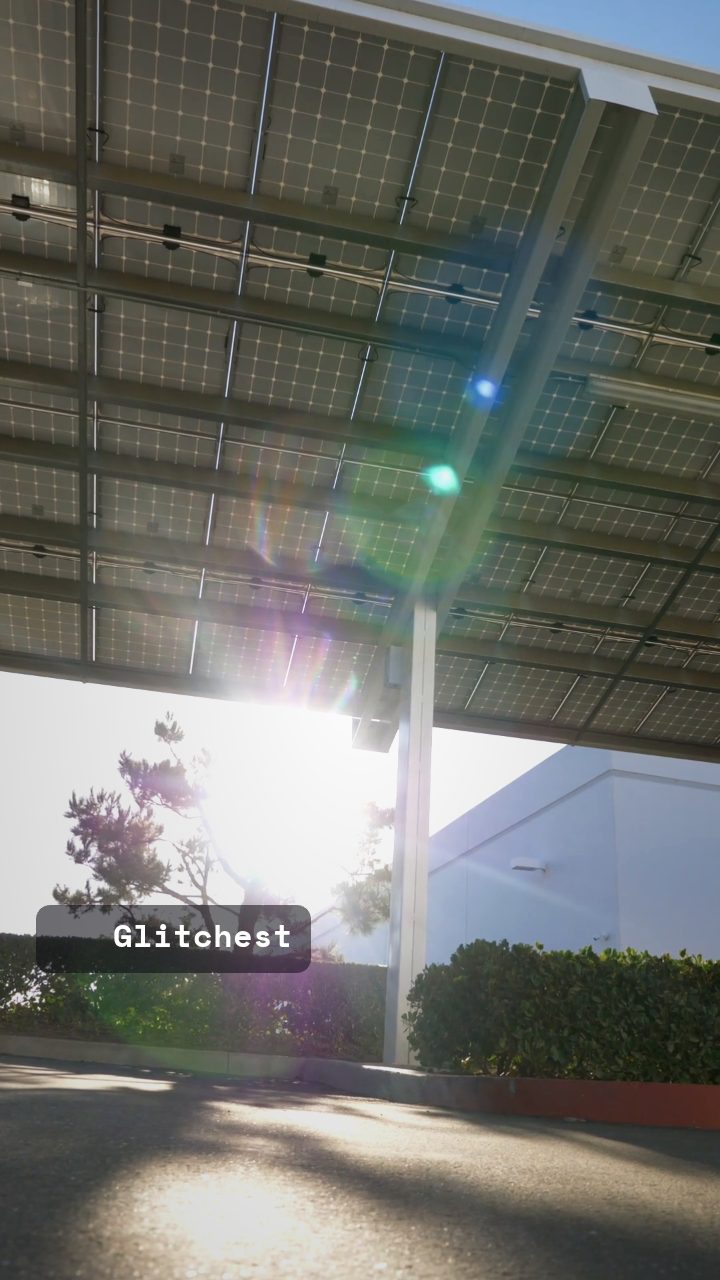 BEFORE
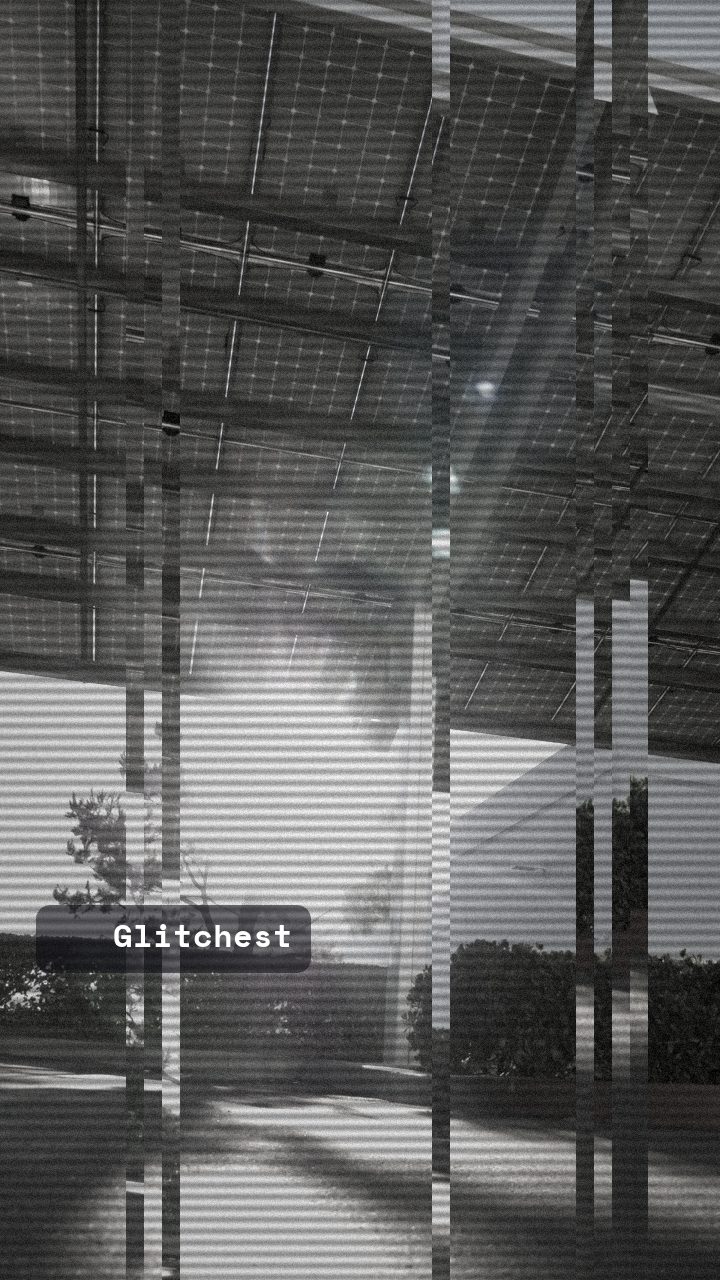 AFTER
AFTERWhy this look works
Deconstructing the Security Feed Signal
Security monitors work by making footage functional rather than beautiful. The heavy lifting here comes from draining color alongside tight scanlines, which flattens the image and isolates light levels. High contrast works together with static noise to crush shadow detail into dark blocks while blowing out harsh overhead lights, mimicking cheap sensor hardware struggling under bad indoor illumination.
The subtle vertical displacement adds the crucial layer of mechanical instability. Standard commercial surveillance hardware often suffers from weak vertical sync signals, causing the raster lines to drift slightly out of alignment. If you push the vertical movement too far, the scene turns into abstract glitch art; keep it controlled, and it reads as a genuine hardware artifact from a real transmission link.
The recipe
From a clean image, set:
| Vertical Shift | 20 |
| Contrast | 64 |
| Grayscale | 88 |
| Noise | 40 |
| Scanlines | 62 |
Everything else stays at its default — tweak it, then copy your own look as JSON or a link from inside the editor to share it.
What footage suits it
Not every video clip translates well into a security feed. To get the convincing look of an unmonitored lens, look for source footage with specific lighting and composition characteristics:
- High-angle framing: Wide shots filmed from above human eye level naturally mimic ceiling-mounted camera enclosures.
- Harsh overhead lighting: High-contrast scenes lit by fluorescent tubes or single streetlights yield authentic sensor blowouts.
- Static camera positions: Fixed wide shots with subjects walking in and out of frame sell the passive recording vibe far better than handheld motion.
- Low subject movement: Minimal camera movement lets the synthetic noise and scanline grid do the visual heavy lifting without blurring into chaos.
Avoid bright, sun-drenched outdoor scenes with rich natural gradients, as soft natural light makes low-res digital degradation look unnatural.
Common mistakes
- Symptom: The video looks like standard black-and-white instead of a surveillance feed. Fix: Increase the Noise slider and raise Scanlines to add physical monitor texture back into the flattened grey pixels.
- Symptom: The subject jumps entirely off-screen or breaks apart uncontrollably. Fix: Reduce Vertical Shift until the frame drift feels like a subtle hardware stutter rather than an aggressive digital tear.
- Symptom: Dark scenes turn into an unreadable solid black blob. Fix: Lower Contrast slightly so subtle shadow details remain visible through the heavy static layer.
When to use it
The CCTV Surveillance style excels whenever you need to signal to the viewer that they are looking at secret, recorded, or restricted material:
- Thriller and horror narratives: Use intermediate security cutaways to establish tension before a monster or intruder enters a room.
- Found-footage social media teasers: Present behind-the-scenes clips or game teasers as leaked security camera archives.
- ARG and alternate reality games: Build environmental narrative clues that look like recovered security drives.
- Industrial and synthwave music videos: Overlay cold surveillance visuals during breakdown sections to contrast with high-energy cuts.
If you want to explore full analog hardware setups or multi-camera grids, check out our guide on How to Make a CCTV Surveillance Camera Effect. Ready to build your feed? Jump straight into the editor, select the base preset, and tweak the sliders to match your scene's lighting.
Try it now — add this look to your own clip, free and in your browser.
Open the editor →FAQ
Why does my footage still look too modern after applying the CCTV effect?
Modern camera footage often has crisp color saturation and dynamic range that breaks the illusion of a low-grade security camera. Pulling the color down toward near-grayscale while boosting contrast strips away that modern polish, leaving a clinical, low-bitrate finish.
How do I prevent the Vertical Shift from making my subject unreadable?
Keep Vertical Shift set low enough that the frame slips without completely shearing essential details in half. If key elements get lost, dial back Vertical Shift slightly and compensate with a bit more Noise to maintain grit.
Should I adjust my camera angle before capturing surveillance clips?
High-angle, static shots captured from above eye level naturally mimic ceiling-mounted enclosures far better than hand-held eye-level shots. Pairing a fixed camera position with low frame rate motion instantly sells the passive security monitor aesthetic.