Datamosh Bloom Look Recipe: Smear & Color Bleed
The Datamosh Bloom look captures the hypnotic decay of compressed digital video tearing at the seams. Instead of abrupt blocky corruption, pixels melt and smear into glowing chromatic trails across cuts, turning aggressive digital artifacts into a painterly, blooming transition full of kinetic energy and high-contrast saturation.
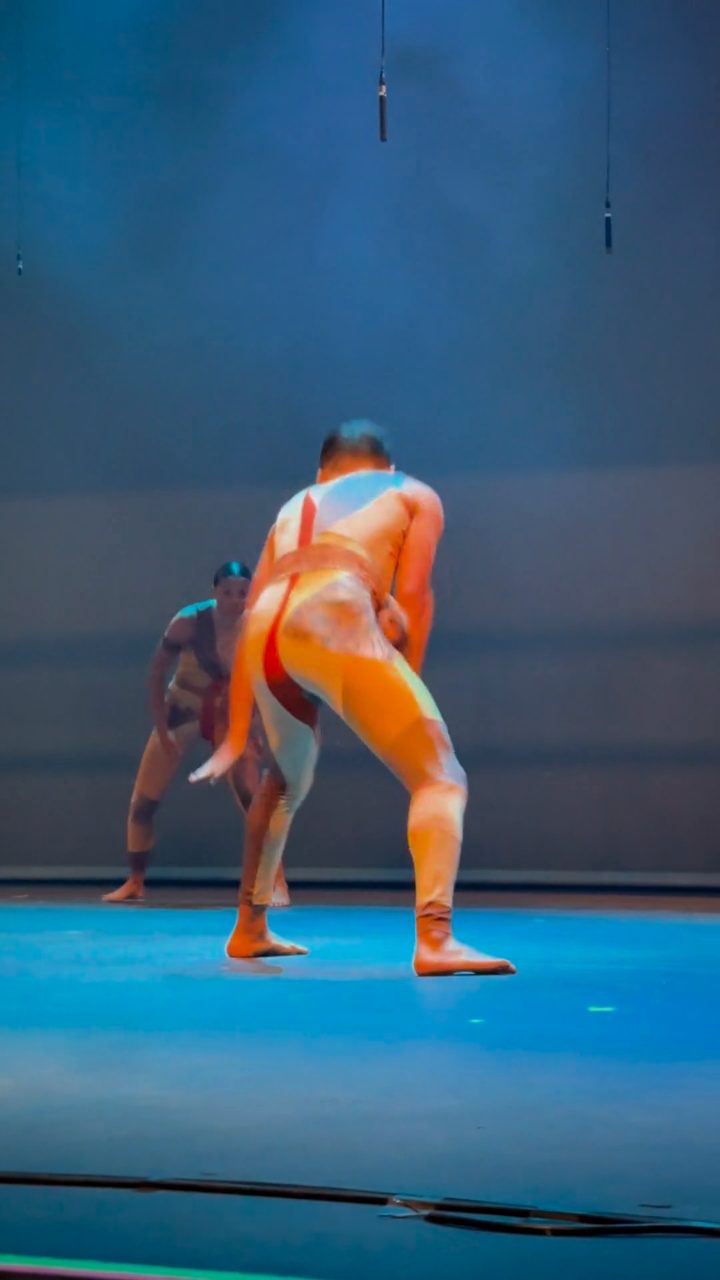 BEFORE
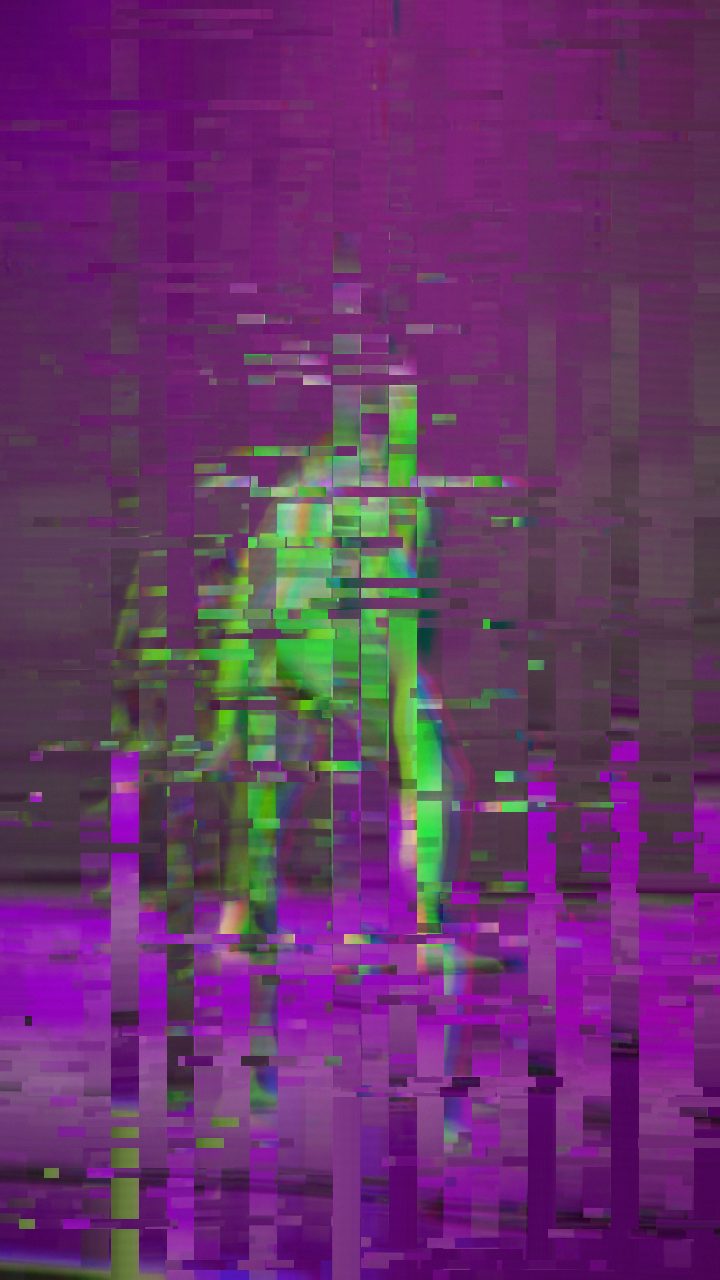 AFTER
AFTERWhy this look works
The foundation of this recipe lies in balancing the Datamosh trail parameter against high chromatic dispersion. While standard compression glitches feel hard-edged and choppy, letting the trailing value dominate forces motion vectors to drag previous pixel blocks across incoming frames. Moderate Block Size settings keep these melted patches large enough to read as intentional compression artifacts without dissolving completely into blurry mush.
Balancing Chromatic Spread and Structural Drift
RGB Split and Hue Shift perform the blooming heavy lifting here. By pulling color channels apart aggressively while pixels are already smearing horizontally, bright edges bloom into vivid neon fringing. Mild Horizontal and Vertical Waves introduce organic fluidity, preventing the pixel drag from looking like a sterile directional blur.
Pushing the Chaos or Glitch Rate too high will shatter the bloom effect into chaotic noise, masking the smooth liquid trails you want. Keeping those secondary disruption sliders restrained allows the smear and color bleed to remain the undisputed heroes of the composition.
The recipe
Start from the Datamosh preset, then set:
| Strength (master) | 34 |
| Glitch Rate | 20 |
| Glitch Width | 40 |
| Block Size | 44 |
| Chaos | 22 |
| Datamosh (trail) | 72 |
| Horizontal Wave | 14 |
| Vertical Wave | 10 |
| Vertical Shift | 24 |
| Vertical Shake | 18 |
| RGB Split | 54 |
| Hue Shift | 26 |
| Noise | 10 |
| Scanlines | 15 |
| Flicker | 12 |
Everything else stays at its default — tweak it, then copy your own look as JSON or a link from inside the editor to share it.
What footage suits it
Because the Datamosh Bloom effect relies on movement to drag pixel data, your source footage directly dictates how dramatic the melt will appear:
- High-contrast lighting: Neon signs, stage lighting, or backlit silhouettes generate vibrant, glowing trails against darker background elements.
- Dynamic camera sweeps: Fast pans, whip transitions, or subjects crossing the frame rapidly feed the compression trail with distinct motion paths.
- Bold color palettes: Footage with distinct primary hues maximizes the impact of the chromatic split during the pixel smear.
Avoid static, low-contrast footage with flat gray lighting, as it yields muddy, undefined smears with minimal color blooming.
Common mistakes
- The screen turns into an illegible muddy blur: The smear is overwhelming the source detail; reduce the Datamosh trail slider until identifiable shapes re-emerge.
- The color fringing looks harsh and jagged: Channel separation is fighting rigid geometry; lower RGB Split slightly or soften Block Size to let colors blend smoothly.
- The glitch interrupts the flow too abruptly: Rapid jumping breaks the liquid feel; pull back Glitch Rate and Chaos so the trails linger seamlessly across the cut.
When to use it
Datamosh Bloom excels whenever you need a sensory bridge between distinct moments or want to inject intense digital flavor into your edits:
- Music video impact hits: Drop the effect over heavy bass drops, snare cracks, or sudden tempo shifts to emphasize rhythmic transitions.
- Edgy product and title reveals: Melt clean typography or product hero shots out of liquid pixel smears for high-energy promotional teasers.
- Beat-synced cut transitions: Mask hard cuts between contrasting scenes by blending the outgoing frame directly into incoming motion.
- Psychedelic dream sequences: Pair this effect with dreamy visual storytelling alongside our Liminal Dreamcore Look Recipe for Video and Photos.
To dial in this look, launch the editor, select the Datamosh preset, and fine-tune your trail and chromatic sliders to match the tempo of your project.
Try it now — add this look to your own clip, free and in your browser.
Open the editor →FAQ
How do I control how far the pixels drag across the frame?
Adjust the Datamosh trail slider upward to stretch the smear across longer distances, or dial it down if the frame becomes illegible.
Why does the blooming color look washed out on some clips?
If RGB Split and Hue Shift clash with flat source footage, lower the Strength master slider slightly to preserve underlying contrast.
Can I use this recipe for still images as well as video clips?
Yes, applying this recipe to photos creates a frozen motion smear effect, though video motion gives the most dynamic pixel-dragging results.