Faded Home Video Look Recipe: Warm VHS Aesthetics
The Faded Home Video look evokes the soft, sun-drenched memory of an old camcorder tape discovered in a shoebox. It softens harsh modern digital sharpness into warm colors, subtle tracking wobbles, and gentle CRT-style warmth.
 BEFORE
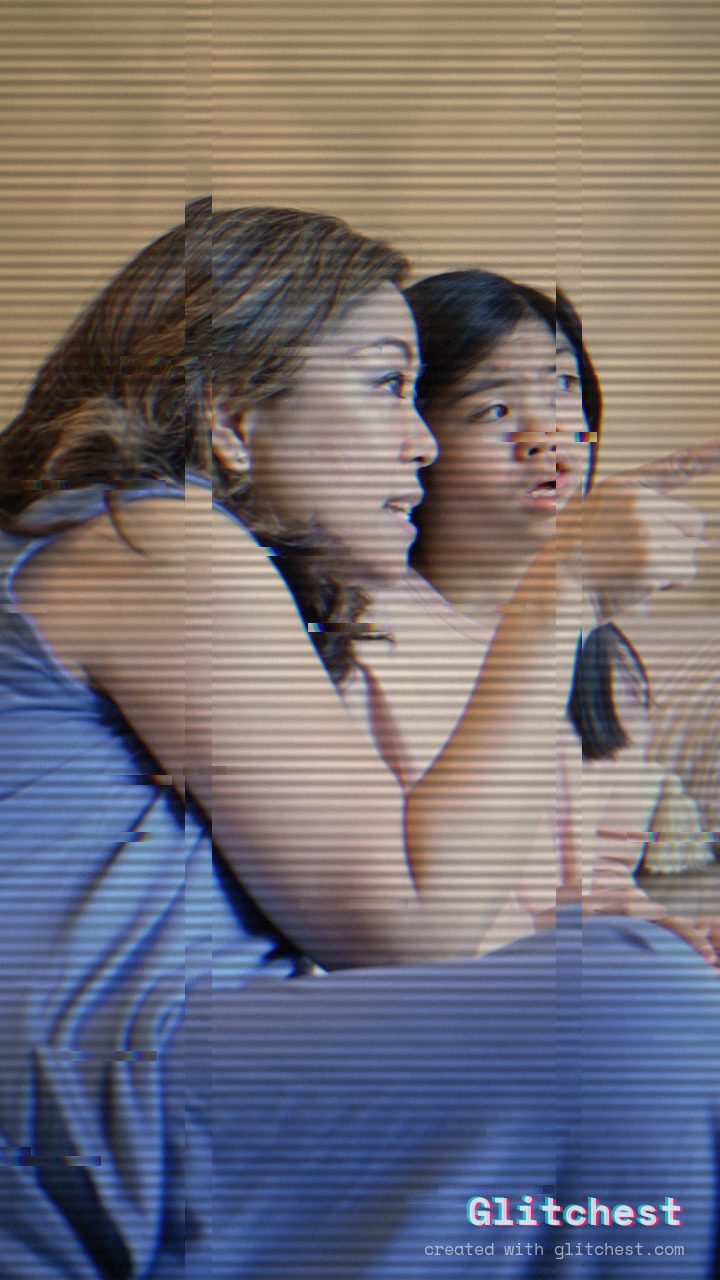 AFTER
AFTERWhy this look works
Behind the Aesthetic
The secret to this warmth lies in blending mild color shifts with subtle analog instability. Elevating Sepia and Noise alongside mid-tone RGB Split simulates worn magnetic tape oxide, washing out sterile digital contrasts into gentle, golden hues that instantly feel familiar.
Meanwhile, light Horizontal Wave combined with restrained Scanlines and a low Datamosh trail provides the tactile movement of a well-loved physical tape. By keeping Glitch Rate minimal, the destabilization feels like natural tracking wear rather than digital corruption.
The recipe
Start from the VHS preset, then set:
| Retro (era) | 1985 |
| Strength (master) | 46 |
| Glitch Rate | 18 |
| Glitch Width | 24 |
| Block Size | 40 |
| Chaos | 34 |
| Datamosh (trail) | 14 |
| Horizontal Wave | 44 |
| Vertical Wave | 20 |
| Vertical Shift | 10 |
| Vertical Shake | 12 |
| RGB Split | 46 |
| Hue Shift | 7 |
| Sepia | 30 |
| Noise | 40 |
| Scanlines | 66 |
| Flicker | 22 |
Everything else stays at its default. Open the editor →
When to use it
This gentle aesthetic works best on personal moments where emotional resonance takes priority over crisp resolution:
- Family reels and childhood memory montages
- Anniversary celebrations and wedding teasers
- Lo-fi indie music videos and acoustic sessions
- Vintage lifestyle vlogs and vacation clips
If your source clip is already dark or low-contrast, open the editor and ease back slightly on the Sepia slider to prevent muddying shadow detail. For more inspiration on crafting memory-driven visual styles, explore our guide on How to Make a Nostalgia-Core Memory Video.
Try it now — add this look to your own clip, free and in your browser.
Open the editor →FAQ
What type of video footage works best with the Faded Home Video look?
Warmly lit outdoor shots, golden-hour footage, and candid personal clips yield the most authentic, nostalgic results with this effect.
Can I apply this VHS look without losing subject clarity?
Yes, because the Glitch Rate and Chaos controls remain low, the effect adds analog character while keeping your subject perfectly recognizable.
Do I need to download software to apply this effect?
No, you can load your media directly into Glitchest and apply this look entirely within your browser for free.