Retro Synthwave Look Recipe: 80s Arcade Neon
Capture the buzzing electric warmth of an early-eighties coin-op arcade with this Retro Synthwave look. Built on vibrant magenta-cyan channel splits, rhythmic scanlines, and subtle CRT raster shifts, it instantly transforms clean modern video into a stylized, dreamlike flashback bathed in glowing neon wireframes, chrome reflections, and vintage broadcast distortion.
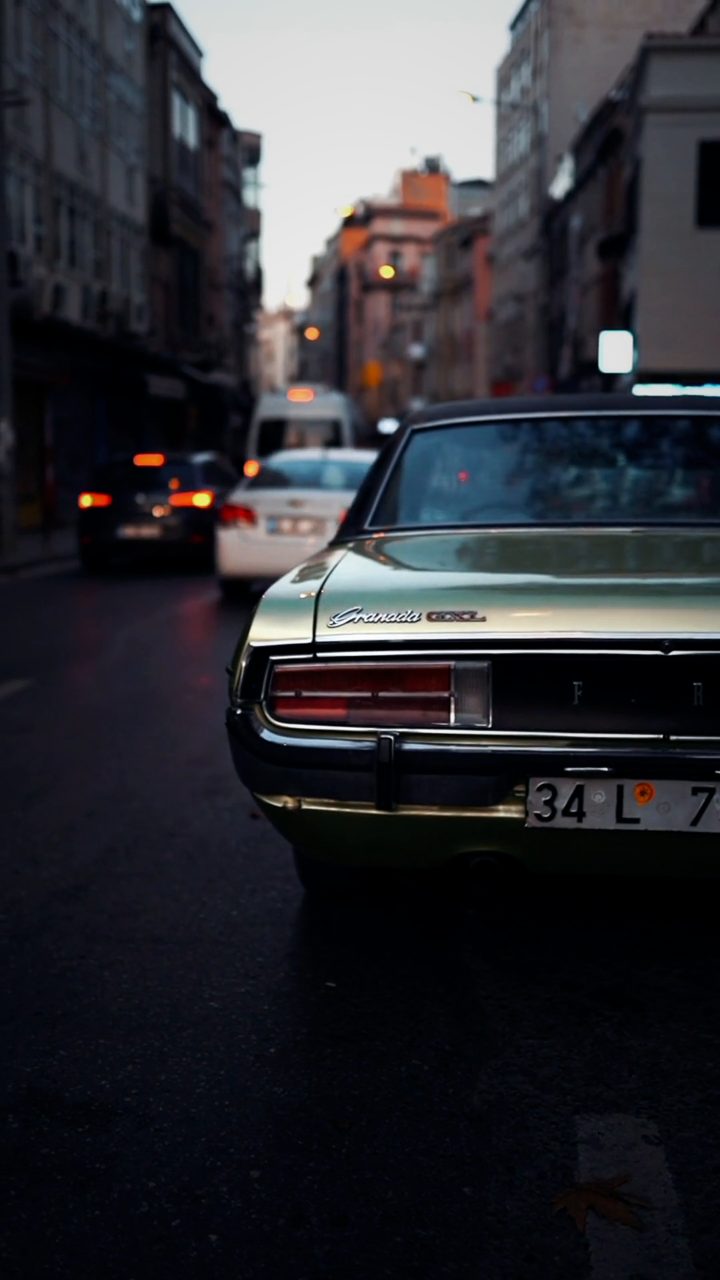 BEFORE
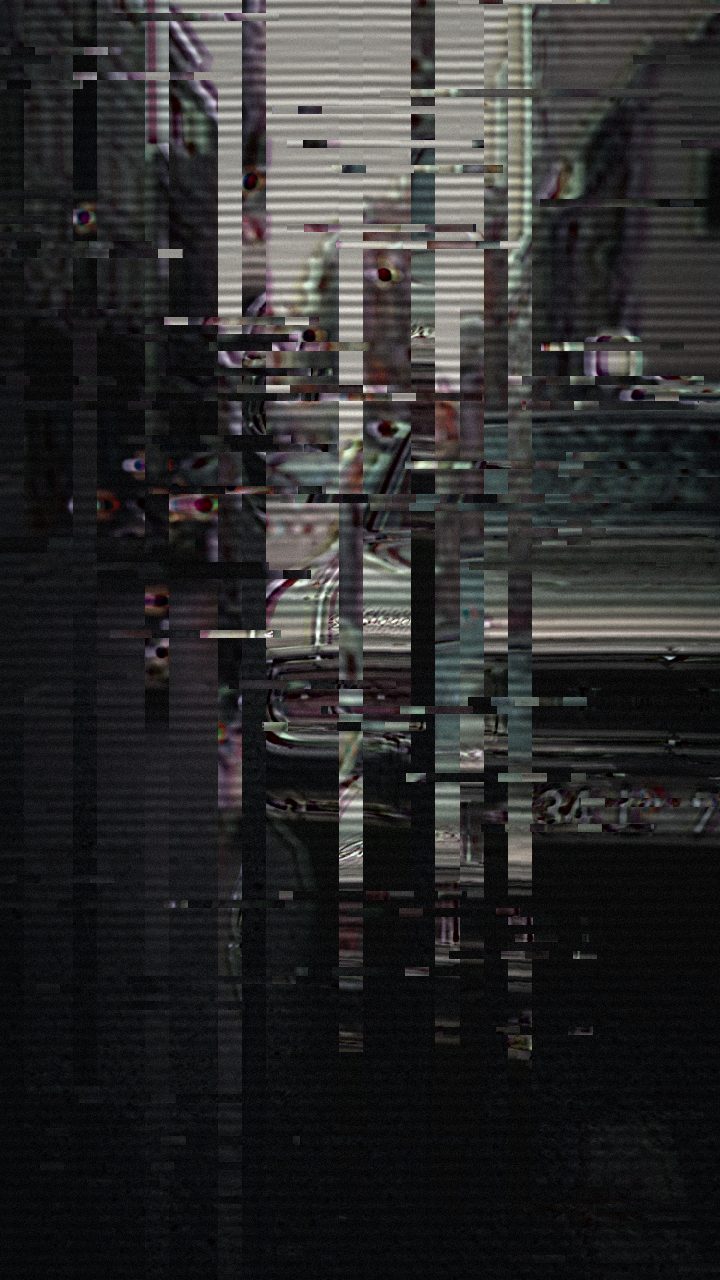 AFTER
Why this look works
Building the Neon Arcade Aesthetic
The heavy lifting in this recipe comes from fusing deliberate color warping with gentle analog raster wobble. Rotating the hue spectrum pushes baseline skin tones and natural highlights directly into hot fuchsias and electric purples, while an aggressive saturation bump makes chrome surfaces and light sources blaze like vintage neon tubes. Chromatic separation splits high-contrast edges into distinct color fringes, mimicking misaligned electron guns inside a worn coin-op monitor.
Texture and structural movement seal the retro look without destroying the underlying image. Fine scanlines and light film grain simulate the phosphor grid of an old cathode ray tube, while gentle vertical displacement and wave modulation recreate the magnetic instability of legacy CRT hardware. Push the color boost or hue rotation too far, and silhouettes collapse into illegible posterized mush; overcrank the waves or glitch rate, and the nostalgic atmosphere surrenders to harsh digital chaos.
The recipe
Start from the Cyber Glitch preset, then set:
| Retro (era) | 1981 |
| Strength (master) | 30 |
| Glitch Rate | 18 |
| Glitch Width | 30 |
| Block Size | 32 |
| Chaos | 20 |
| Datamosh (trail) | 8 |
| Horizontal Wave | 26 |
| Vertical Wave | 14 |
| Vertical Shift | 40 |
| Vertical Shake | 12 |
| RGB Split | 58 |
| Hue Shift | 70 |
| Color Boost | 60 |
| Contrast | 56 |
| Noise | 20 |
| Scanlines | 54 |
| Flicker | 14 |
Everything else stays at its default — tweak it, then copy your own look as JSON or a link from inside the editor to share it.
What footage suits it
This look thrives when given footage that can lean into glowing artificial light and sharp silhouette edges:
- Nighttime cityscapes or studio footage illuminated by practical neon signs, pink backlights, or cyan strobes.
- Subjects featuring reflective, high-gloss surfaces like chrome car bumpers, metallic jackets, sunglasses, or wet asphalt.
- Relatively slow, cinematic panning or locked-off tripod shots where CRT scanlines and subtle raster waver can sit gracefully across the frame.
Avoid flat, low-contrast daylight footage shot under overcast skies, as muddy middle grays lack the dynamic range needed to produce vivid neon halos.
Common mistakes
- Washed-out, pastel colors instead of punchy neon: If your blacks look gray and highlights lack bite, raise Contrast and lift Color Boost to restore rich shadows and glowing neon accents.
- Unreadable footage tearing into chaotic static: If the silhouette disintegrates into aggressive noise, reduce Glitch Width and Chaos until edge outlines stay sharp and recognizable.
- Double-vision headache from excessive color separation: If text or faces become muddy smears, pull down RGB Split to keep chromatic halos tight to the subject's contours.
When to use it
Dialing in this 1980s aesthetic in the editor provides instant atmospheric flavor across several creative formats:
- Music video visualizers and looping background art for synthwave, chillwave, or darksynth tracks.
- Title cards and retro game studio intro bumpers seeking authentic coin-op arcade flair.
- Cyberpunk fashion reels and retro streetwear lookbooks that demand heavy color saturation.
- Stylized 80s tribute edits or vintage commercial parodies for social feeds.
If your project demands a warmer, golden-hour dusk palette instead of an electric arcade cabinet feel, explore our companion guide for the Retro Synthwave Look Recipe: 80s Neon Sunset. A quick tweak point: toggle the era dial closer to late eighties or pull back the hue shift knob to let natural warm skin tones breathe while keeping scanline textures intact.
Try it now — add this look to your own clip, free and in your browser.
Open the editor →FAQ
Can I apply this Retro Synthwave look to a transparent PNG logo?
Yes, transparent logos will render with vivid chromatic fringes and glowing scanlines across their alpha edges, though you should keep wave sliders low to maintain text readability.
How do I make the neon glow feel warmer without resetting everything?
Gently adjust the Hue Shift slider until your primary purples rotate toward warm coral or amber, leaving the scanlines and contrast untouched.
Will this recipe cause heavy strobe effects that hurt viewers' eyes?
No, the subtle flicker and shake are tuned for a gentle broadcast hum rather than harsh strobing, but you can zero out the Flicker knob entirely for perfectly stable playback.