Silent Film 1925 Look Recipe: Create a Hand-Cranked Aesthetic
Transport your footage to the golden era of nickelodeons with the Silent Film 1925 look recipe. By combining heavy vertical jitter, projection flicker, physical surface scratches, and a rich sepia-tinted monochrome palette, this style recreates the tactile charm of hand-cranked celluloid projection without destroying the core subject of your shot.
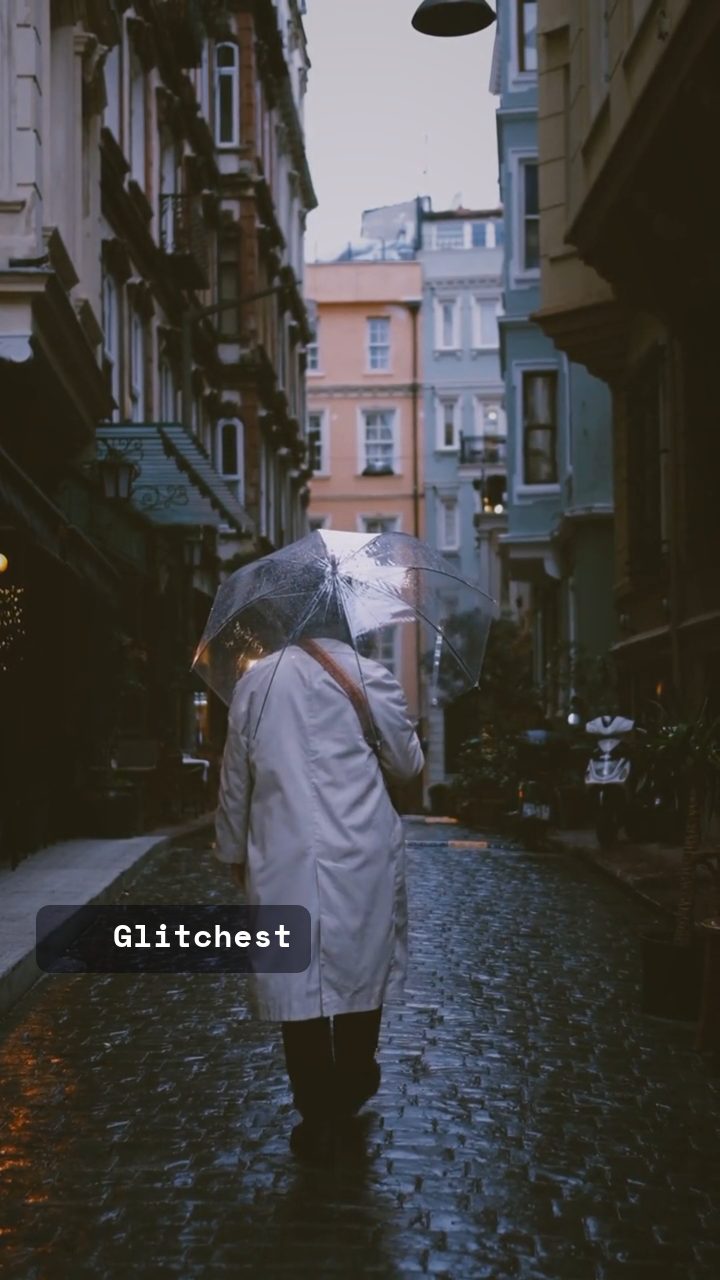 BEFORE
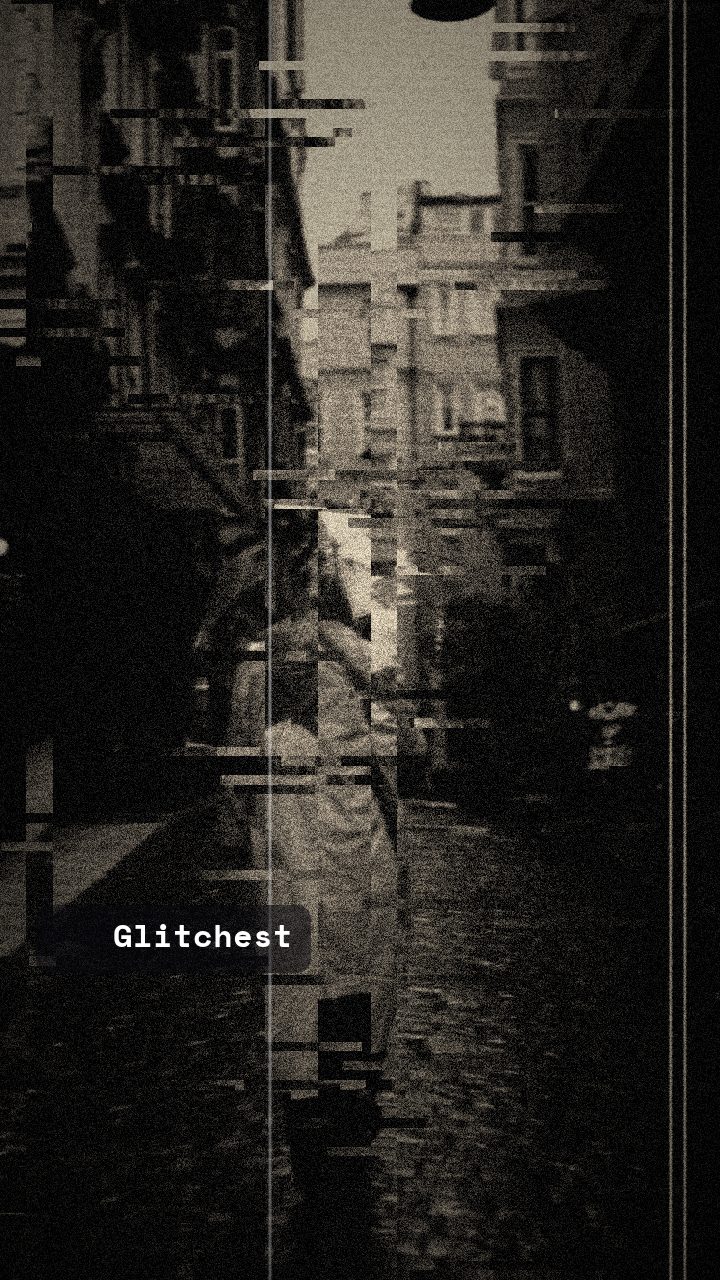 AFTER
AFTERWhy this look works
Building the Hand-Cranked Silver Screen
The visual signature of 1925 celluloid relies heavily on mechanical imperfection. Film Scratch and Flicker carry the bulk of the visual texture, simulating dust accumulation, hair trapped in the aperture gate, and uneven projector arc lamps. Vertical Shake introduces that iconic hand-cranked gate instability, causing the image to bounce subtly as if passing through an uncalibrated sprocket system.
Color framing balances Grayscale and Sepia to mimic early chemical film toning, yielding a warm silver-nitrate appearance instead of stark digital black-and-white. Meanwhile, minor values on Horizontal Wave and Vertical Shift simulate minor film splices catching in the transport mechanism. Be cautious with RGB Split and Glitch Rate; cranking digital channel separation or blocky datamoshing breaks period authenticity and turns early cinema into modern sci-fi distortion.
The recipe
Start from the Old Film preset, then set:
| Retro (era) | 1925 |
| Strength (master) | 38 |
| Glitch Rate | 17 |
| Glitch Width | 22 |
| Block Size | 40 |
| Chaos | 26 |
| Horizontal Wave | 16 |
| Vertical Wave | 14 |
| Vertical Shift | 11 |
| Vertical Shake | 38 |
| RGB Split | 14 |
| Grayscale | 60 |
| Sepia | 70 |
| Noise | 54 |
| Film Scratch | 82 |
| Scanlines | 10 |
| Flicker | 52 |
Everything else stays at its default — tweak it, then copy your own look as JSON or a link from inside the editor to share it.
What footage suits it
The Silent Film 1925 recipe works best with footage that features bold lighting and distinct silhouettes:
- High-Contrast Lighting: Deep shadows and bright highlights survive monochrome conversions with strong graphic clarity.
- Deliberate Pantomime Motion: Dramatic gestures, theatrical movement, or slow tracking shots fit the rhythmic cadence of early silent cinema.
- Simple Backgrounds: Clean architectural lines or open skies keep heavy scratch overlays and flickering from turning visual details into muddy noise.
Avoid underexposed handheld video or hyper-smooth modern steadycam shots with heavy motion blur, as the smooth motion conflicts with the erratic hand-cranked frame rate.
Common mistakes
- Symptom: The look resembles modern digital glitching instead of physical film stock. Fix: Reduce RGB Split and lower Block Size to eliminate digital digital artifacts while letting analog scratches dominate.
- Symptom: The video causes eye strain due to intense brightness pulsing. Fix: Lower Flicker until the light variation feels like an old projector bulb flickering rather than a harsh strobe.
- Symptom: The visual frame constantly rolls off the top or bottom of the screen. Fix: Decrease Vertical Shift to keep the frame jittering in place rather than slipping completely out of frame alignment.
When to use it
This atmospheric vintage treatment excels across several creative project types:
- Wedding & Event Intros: Frame historic title cards or "Once Upon a Time" storybook openers before cutting to vibrant full-color footage.
- Historical Documentaries: Stylize modern archival reenactments directly inside the editor to match genuine turn-of-the-century clips.
- Indie Music Videos: Give acoustic piano solos or vintage jazz tracks a dramatic, nostalgic visual accompaniment.
If you are cutting narrative promotional edits, combining this look with techniques from our tutorial on How to Make a Glitchy Wedding or Event Teaser helps establish distinct time jumps between historical sequences and modern celebrations.
Pro Tweak: Boost the Noise slider slightly for extra mechanical grain, or drop Sepia down if you want a colder, starker orthochromatic black-and-white print.
Try it now — add this look to your own clip, free and in your browser.
Open the editor →FAQ
How do I balance Grayscale and Sepia for an authentic 1925 nitrate look?
Keep Sepia slightly higher than Grayscale to create a warm, aged nitrate tone rather than a flat gray. Lowering Grayscale slightly lets subtle natural colors show through the warmth.
Why does my silent film look too digitally corrupted?
High settings on digital knobs like RGB Split or Block Size mimic modern signal loss rather than celluloid wear. Dial back channel splitting and block artifacts so physical surface scratches and frame jitter stay prominent.
Can I use this look on modern high-definition footage?
Yes, modern HD footage converts extremely well because crisp details survive heavy film scratches and flicker, producing sharp contrast under the vintage texture.