Vaporwave Sunset Look: Dreamy Mall Nostalgia Recipe
Vaporwave Sunset captures the bittersweet reverie of wandering an empty suburban mall at twilight in the mid-1990s. Blending lush magenta-cyan color rotations with delicate cathode scanlines and subtle geometric displacement, this recipe envelops modern video in warm, dreamy nostalgia without descending into completely unreadable analog destruction.
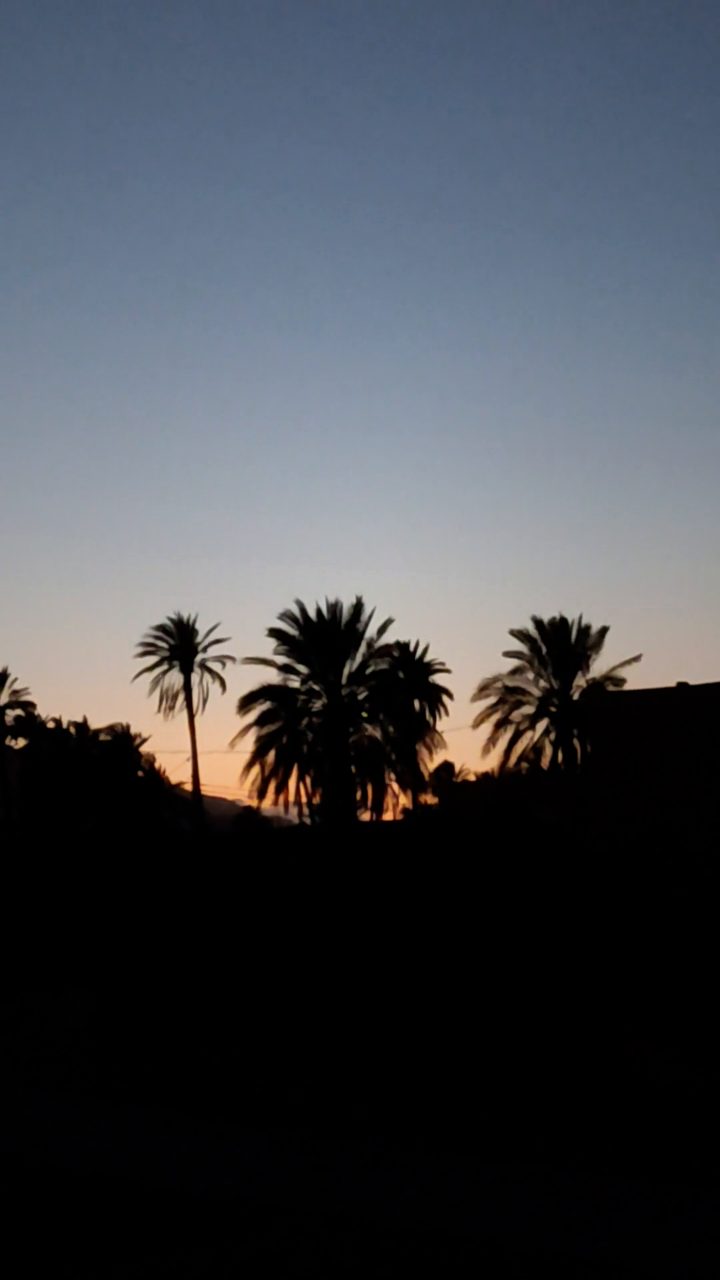 BEFORE
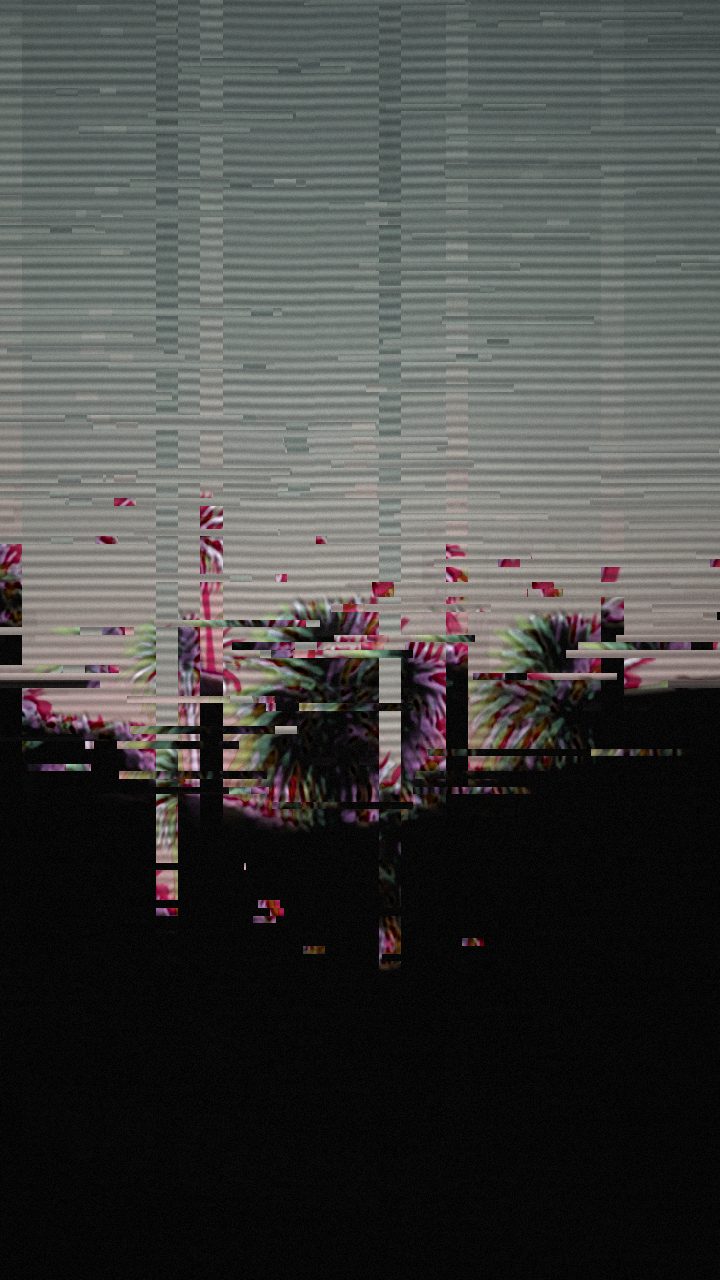 AFTER
Why this look works
Crafting the Twilight Palette and Cathode Glow
The emotional core of this aesthetic lies in the tension between heavy color rotation and gentle analog decay. Shifting hues toward cool teals, candy pinks, and rich purples re-grades contemporary footage into a retro twilight spectrum, while boosted saturation gives highlights that distinct neon-sign radiance. A touch of warm sepia underneath anchors the colors, keeping the digital grade grounded in analog warmth rather than harsh synthetic clipping.
Subtle physical texture completes the illusion. Generous RGB separation splinters high-contrast edges into chromatic fringes, mirroring poorly converged electron guns inside vintage CRT television sets. Moderate scanlines and low-frequency horizontal ripples introduce gentle geometry wobble, creating a relaxing, dreamlike drift rather than violent digital destruction. Push the displacement waves too hard, however, and the dreamy ambiance quickly devolves into seasick motion.
The recipe
Start from the Y2K preset, then set:
| Retro (era) | 1994 |
| Strength (master) | 42 |
| Glitch Rate | 22 |
| Glitch Width | 38 |
| Block Size | 24 |
| Chaos | 24 |
| Datamosh (trail) | 10 |
| Horizontal Wave | 18 |
| Vertical Wave | 8 |
| Vertical Shift | 17 |
| RGB Split | 66 |
| Hue Shift | 78 |
| Color Boost | 60 |
| Sepia | 20 |
| Noise | 14 |
| Scanlines | 48 |
| Flicker | 8 |
Everything else stays at its default — tweak it, then copy your own look as JSON or a link from inside the editor to share it.
What footage suits it
To achieve the most evocative results, feed the recipe clips that give color shifts room to breathe:
- Golden hour and twilight cityscapes: Streetlights, sunset gradients, and illuminated skyline silhouettes translate beautifully into pastel pinks and deep violets.
- Slow tracking or panning shots: Steady, leisurely camera movements complement the hypnotic horizontal wave wobble without confusing the eye.
- Reflective surfaces and neon: Polished mall floors, wet pavement, and storefront signage glow brilliantly against softened contrast.
Avoid high-energy handheld footage with rapid whip pans, as erratic movement conflicts with the chill, meditative cadence of the aesthetic.
Common mistakes
- Muddy, over-saturated skin tones: High saturation combined with radical hue rotation can make human subjects look sickly; pull back Color Boost or soften Hue Shift until tones settle into stylized pastels.
- Illegible text or smeared graphics: If titling or focal logos become impossible to read, dial down RGB Split to bring chromatic separation back toward the edges.
- Jarring, strobe-like motion: When rhythmic flickering distracts from the mellow ambiance, reduce Flicker to eliminate harsh brightness jumps.
When to use it
The Vaporwave Sunset recipe excels whenever you need a relaxed, nostalgic mood with a stylized retro flair:
- Chillwave and synthpop visualizers: Build looping visual accompaniments for beat tapes, lofi streams, and dreamy synth tracks.
- Social media aesthetic banners: Create evocative header loops and moodboard transitions for TikTok, Instagram Reels, and YouTube shorts.
- Nostalgia-focused fashion lookbooks: Infuse streetwear promo clips with an effortless 90s department store sensibility.
For a variation that emphasizes deeper dusk hues or bolder chromatic distortion, check out our guide to the Vaporwave Sunset Look: Dreamy Pastel Nostalgia Recipe. If you want to experiment with your own footage immediately, head straight into the editor and start sculpting your twilight world.
Try it now — add this look to your own clip, free and in your browser.
Open the editor →FAQ
How do I adapt the Vaporwave Sunset look for daytime footage?
Bright daylight clips can easily wash out under heavy saturation, so pull back Color Boost and slightly raise Sepia to preserve delicate pastel highlights.
Can I apply this recipe to static images without losing the CRT illusion?
Yes, the chromatic fringing and scanline overlay give static graphic assets an immediate retro-hardware appearance even without active motion.
Why are the glitch displacement blocks kept minimal in this recipe?
Vaporwave aesthetics prioritize dreamy, melancholic relaxation over aggressive damage, so displacement and chaos are kept restrained to preserve visual serenity.