CCTV Surveillance Look: Raw Security Feed Video Recipe
The CCTV Surveillance look strips away cinema polish to create cold, unblinking observation. Built on muted tones, analog line rastering, and faint sensor jitter, it captures the unsettling detachment of private backrooms and deserted parking structures—producing a raw feed that immediately suggests something dangerous is unfolding unmonitored.
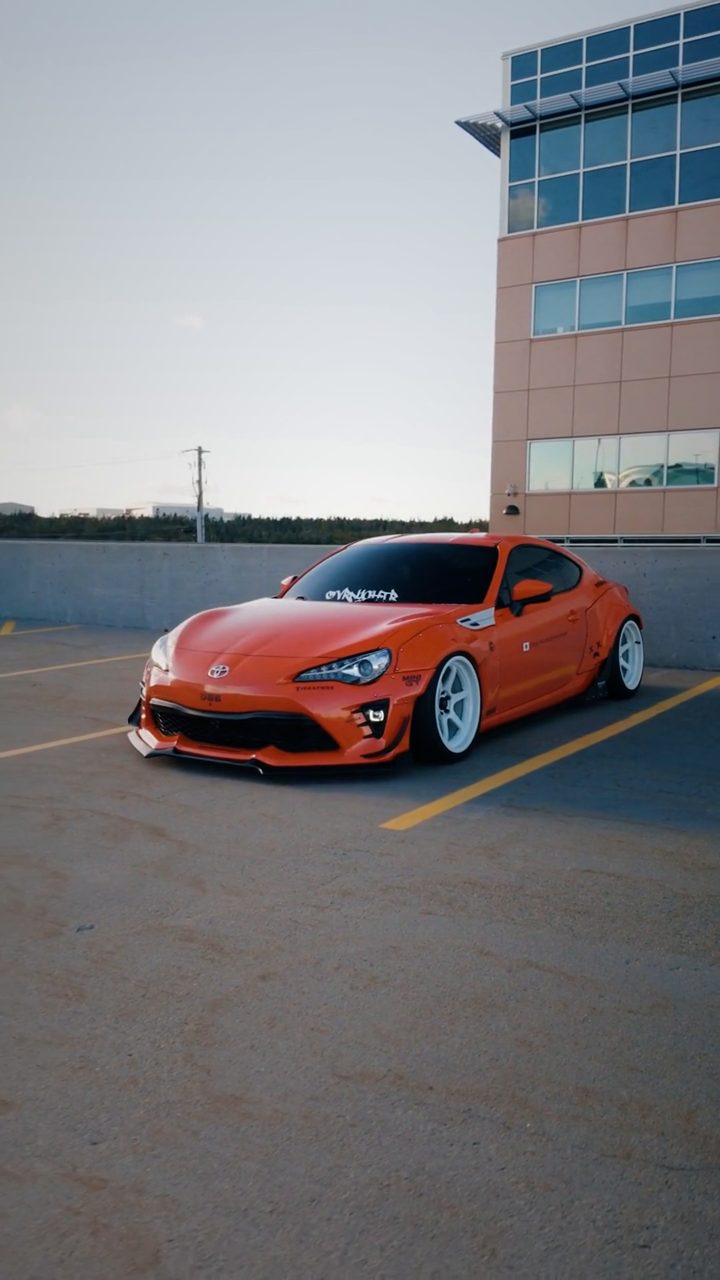 BEFORE
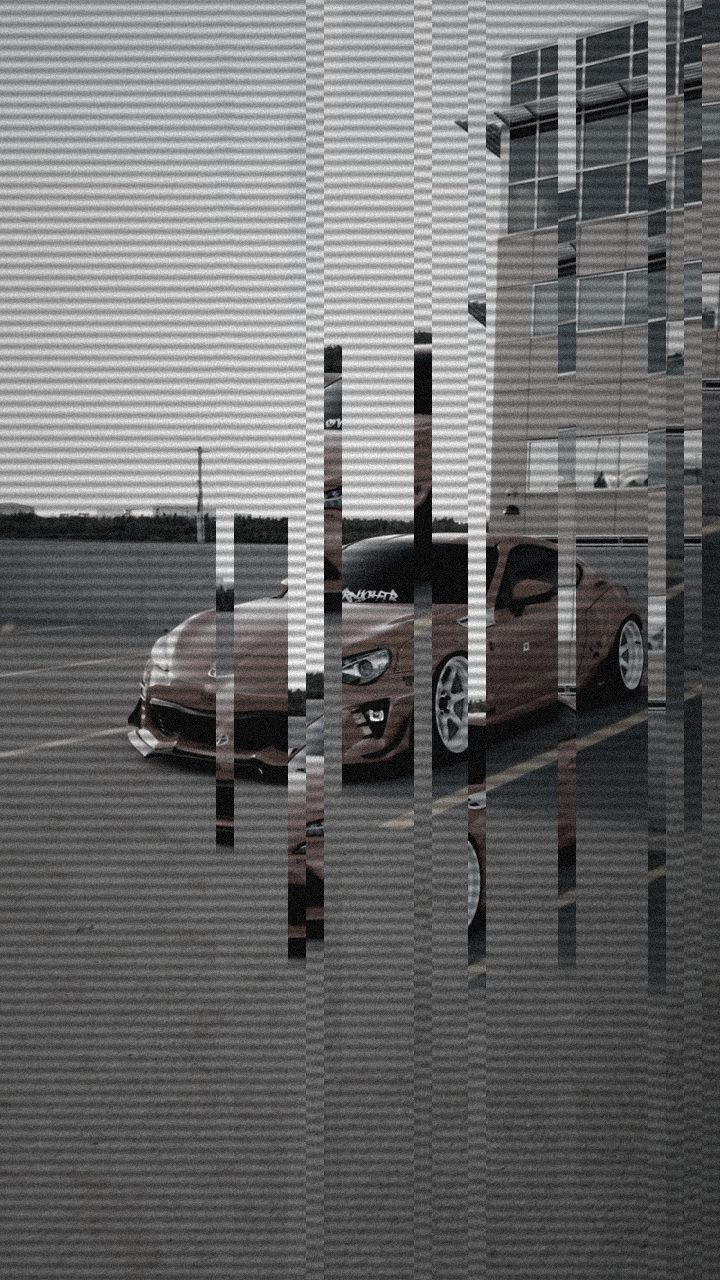 AFTER
Why this look works
Surveillance feeds look unnerving because they convey mechanical apathy: a machine capturing what happens whether anyone is looking or not. Grayscale drains vibrancy without killing image depth, leaving just enough muddy tint to resemble low-grade sensor silicone under flickering fluorescent tubes. Pushing Contrast simultaneously crushes shadow detail and blows out hard highlights, matching the awful dynamic range of commercial security hardware.
Texture and Sync Drift
Scanlines simulate the cheap rastering of low-resolution monitors, slicing clean digital pixels into industrial video lines. Noise adds that prickly, continuous static common to unshielded coaxial cables run across warehouse ceilings. Finally, a controlled touch of Vertical Shift introduces frame-hold instability, implying a compromised signal or tape looping without rendering the scene entirely illegible.
The recipe
From a clean image, set:
| Vertical Shift | 20 |
| Contrast | 64 |
| Grayscale | 88 |
| Noise | 40 |
| Scanlines | 62 |
Everything else stays at its default — tweak it, then copy your own look as JSON or a link from inside the editor to share it.
What footage suits it
This treatment relies on composition to sell the optical illusion of surveillance hardware:
- High-angle, static perspectives mounted near room corners or ceilings.
- Wide focal lengths with deep depth of field so background movement stays sharp.
- Harsh, uneven environmental lighting, such as utility strip lamps or harsh outdoor floodlights.
- Characters moving naturally through the frame rather than performing toward the lens.
Avoid shallow depth-of-field closeups or smooth gimbal tracking, as cinematic camera behavior instantly shatters the automated illusion.
Common mistakes
- The feed looks like a stylized art film: When Grayscale is set too high or Contrast is too soft, adjust Grayscale down to restore faint, sickly color and raise Contrast to crush the midtones.
- The picture scrambles beyond recognition: When the image constantly rolls and hides crucial motion, pull Vertical Shift down until the frame edge stabilizes.
- Total screen murkiness: When heavy grain obliterates subject silhouettes, dial back Noise so background architecture remains identifiable.
When to use it
The CCTV aesthetic brings instant forensic realism to narrative projects and internet videos alike:
- Found-footage horror sequences where the monster is caught lingering in hallway corners.
- Crime thriller cutaways showing getaway vehicles or suspect movements on convenience store monitors.
- Comedic security-cam gags framing domestic pets or office mishaps with detached seriousness.
- Establishing shots for narrative podcasts, alternate reality games, or analog detective investigations.
Drop your file directly into the editor to dial in this look in seconds. If you want a more degraded composite tape aesthetic, check out our guide on CCTV Surveillance Look: Gritty Security Feed to push the artifacting further.
Try it now — add this look to your own clip, free and in your browser.
Open the editor →FAQ
Why keep a trace of color instead of pushing Grayscale to maximum?
Real closed-circuit cameras frequently struggle with sodium-vapor streetlights or cheap sensors, leaving a sickly, desaturated color cast rather than pure black-and-white.
How do I stop the scanlines from obscuring faces in the frame?
Drop Scanlines slightly until facial features remain legible, or adjust Contrast to let whites punch through the horizontal grating.
Can I use Vertical Shift to make the camera feel broken?
Yes, nudging Vertical Shift upward simulates poor composite sync, giving the impression of an unstable transmission line or a dying monitor.