Cyberpunk Neon Glitch Look Recipe for Video & Photo
The Cyberpunk Neon look transforms standard video and imagery into a high-octane, rain-slicked future landscape. Built on electric blues, searing pinks, and subtle digital artifacts, it gives your media the gritty edge of a high-tech metropolis.
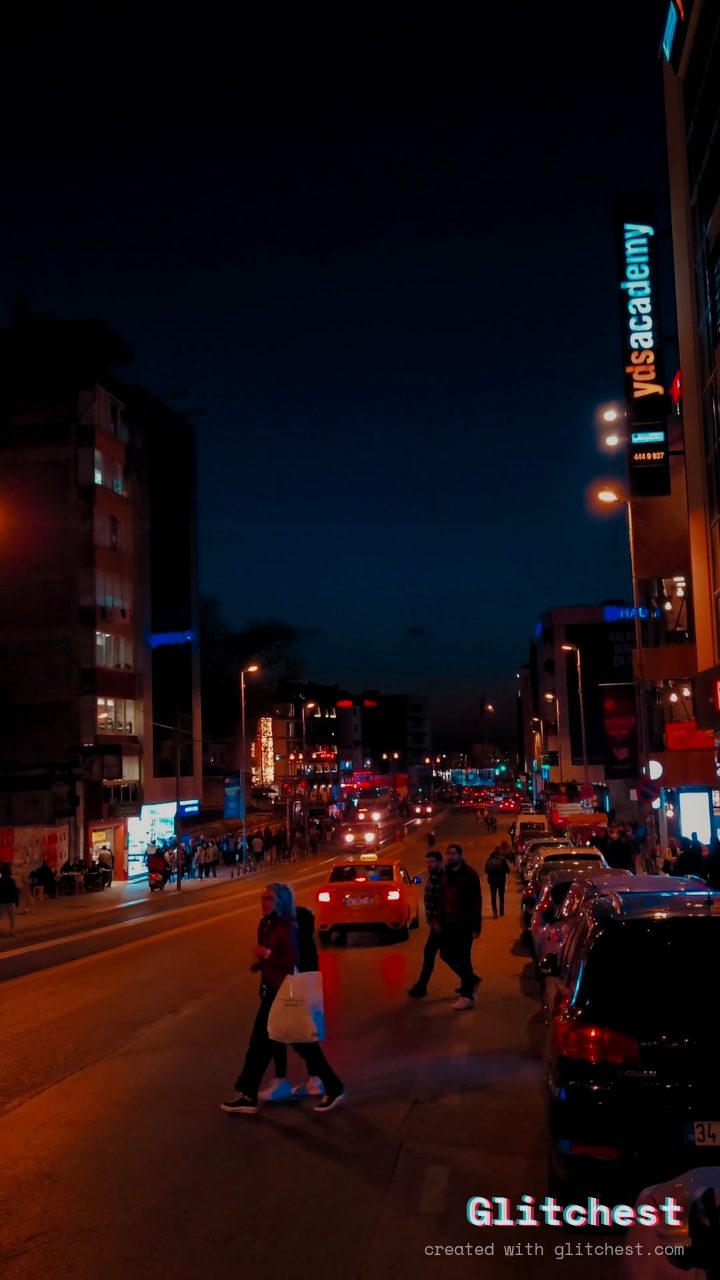 BEFORE
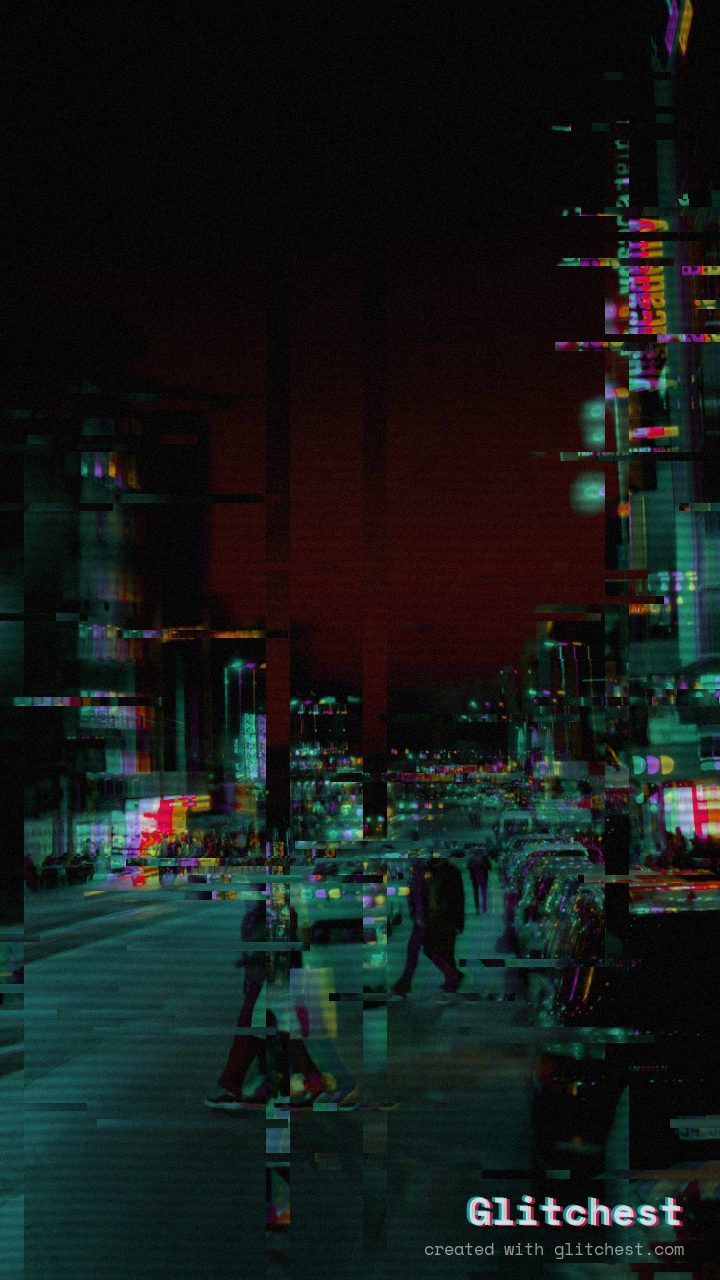 AFTER
AFTERWhy this look works
The Chemistry of Neon Distortion
The core energy of this aesthetic comes from heavy chromatic separation combined with elevated color saturation. Expanding the RGB split creates vivid magenta and cyan fringing around sharp edges, while boosted contrast forces deep shadows against glowing highlights, mimicking rainy asphalt reflecting holographic signage.
To ground the vibrant palette in a retro-futuristic atmosphere, gentle horizontal wave displacement and light datamoshing smear bright points of light across the frame. Fine scanlines and micro-flicker then layer over the image, introducing the physical texture of a high-density terminal monitor under heavy load.
The recipe
Start from the Cyber Glitch preset, then set:
| Strength (master) | 30 |
| Glitch Rate | 18 |
| Glitch Width | 30 |
| Block Size | 32 |
| Chaos | 20 |
| Datamosh (trail) | 8 |
| Horizontal Wave | 26 |
| Vertical Wave | 14 |
| Vertical Shift | 16 |
| Vertical Shake | 12 |
| RGB Split | 80 |
| Hue Shift | 56 |
| Color Boost | 58 |
| Contrast | 56 |
| Noise | 20 |
| Scanlines | 46 |
| Flicker | 14 |
Everything else stays at its default — tweak it, then copy your own look as JSON or a link from inside the editor to share it.
When to use it
This aesthetic excels whenever you need high-impact visual distortion with a distinct sci-fi edge:
- Gaming thumbnails and stream overlays that demand high visual contrast in crowded feeds.
- Tech product reveals, hardware teasers, and futuristic motion graphics.
- Title cards and promotional edits for cyberpunk, synthwave, or dystopian film projects.
For footage captured outdoors at night, try opening the editor and bumping the RGB Split slider even higher to make streetlights cast dramatic holographic light trails.
Try it now — add this look to your own clip, free and in your browser.
Open the editor →FAQ
Can I apply the Cyberpunk Neon look to live video clips?
Yes, you can drop any video or image file directly into the browser to process your footage in real time.
What if the color shift is too intense for my subject?
Simply dial down the RGB Split or Hue Shift sliders slightly until the key subject retains its core legibility.
Do I need to sign up or pay to export full resolution renders?
No registration, account, or payment is required, and all renders export in full quality.