Signal Interference Look: Broken Broadcast Glitch Recipe
Capture the eerie tension of a broadcast collapsing mid-transmission with the Signal Interference look. Built on dirty raster artifacts, heavy electronic static, and drifting frame synchronization, this treatment turns ordinary video into an unstable transmission struggling through atmospheric interference. It feels urgent, disrupted, and caught right on the edge of total signal collapse.
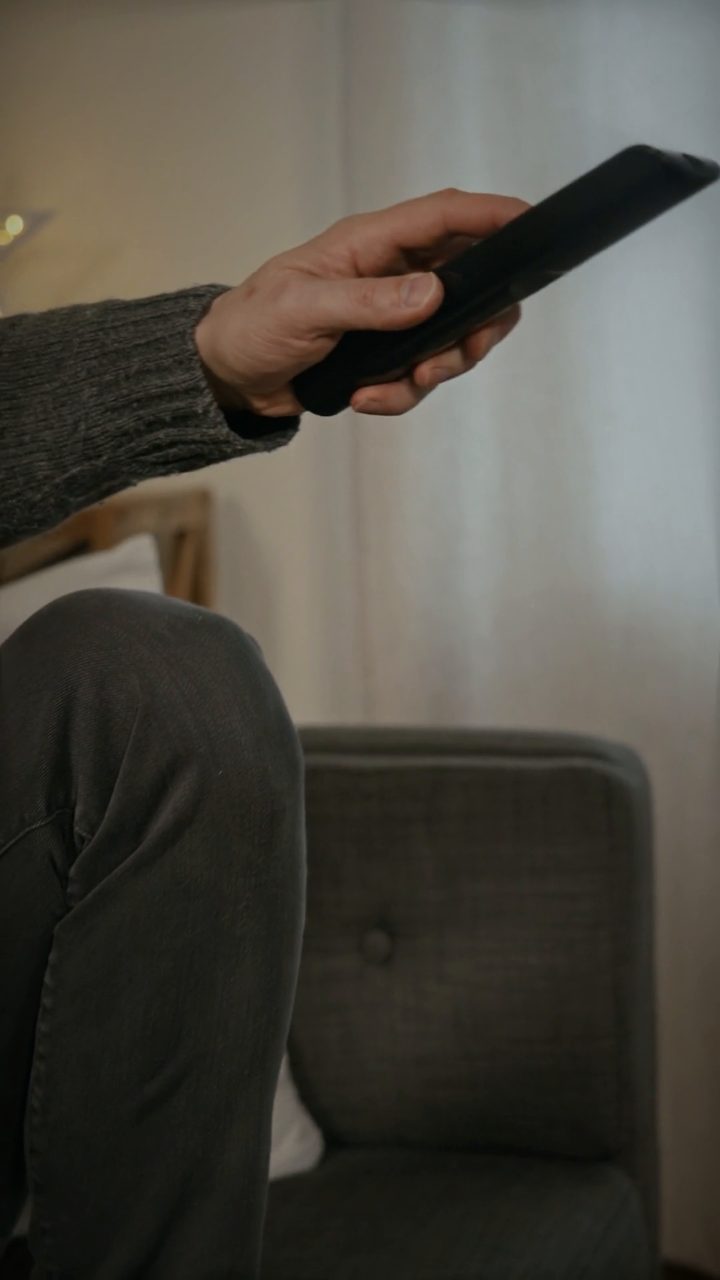 BEFORE
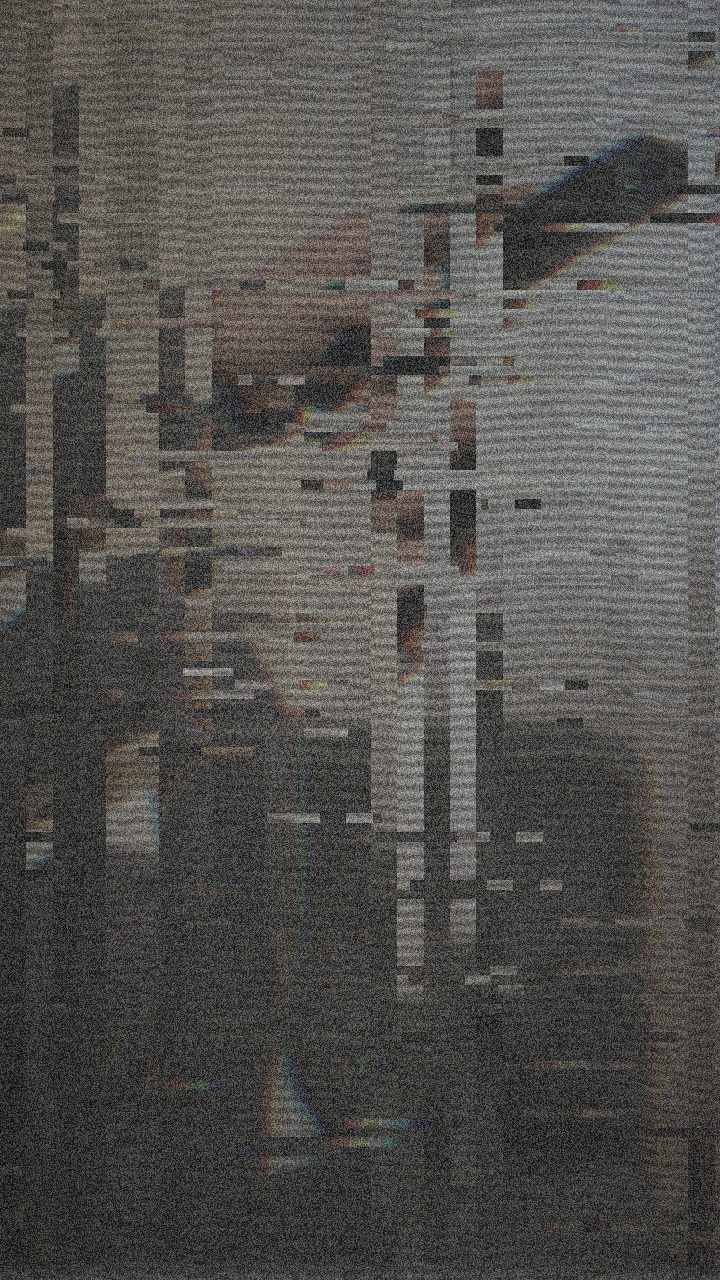 AFTER
Why this look works
The core of this texture relies on a punishing combination of electronic grain and raster structure. Saturating the frame with high Noise and dense Scanlines generates a thick curtain of simulated radio-frequency hash. Instead of crisp pixels, the underlying imagery gets broken apart by analogue transmission artifacts, giving the impression that the monitor is hunting for an elusive broadcast carrier frequency.
Dynamic instability comes from the interplay of Vertical Shift, Vertical Shake, and gentle Horizontal Wave ripples. Rather than staying anchored, the canvas slips out of vertical frame sync, jumping slightly off-axis as if a cathode-ray deflection yoke is losing voltage. Overdriving the shift controls can toss the subject completely off-screen, but keeping them dialed into moderate territory introduces an unsettling, rhythmic jitter.
Subtle color degradation finishes the breakdown. A measured splash of Grayscale bleeds the richness out of vibrant footage without flattening it into pure monochrome, while RGB Split drags misaligned color channels sideways along hard edges. A slight hint of Datamosh retains momentary ghost trails on moving shapes without causing total pixel decay.
The recipe
Start from the Signal Jam preset, then set:
| Strength (master) | 46 |
| Glitch Rate | 26 |
| Glitch Width | 34 |
| Block Size | 40 |
| Chaos | 30 |
| Datamosh (trail) | 15 |
| Horizontal Wave | 34 |
| Vertical Wave | 24 |
| Vertical Shift | 32 |
| Vertical Shake | 32 |
| RGB Split | 32 |
| Grayscale | 32 |
| Noise | 92 |
| Scanlines | 74 |
| Flicker | 52 |
Everything else stays at its default — tweak it, then copy your own look as JSON or a link from inside the editor to share it.
What footage suits it
Signal Interference thrives when applied to clips that possess distinct visual anchor points beneath the static:
- High-contrast subjects like news desks, talking heads, or studio-lit portraits that remain readable through heavy grain.
- Slow or deliberate subject movement where scanline jitter can register cleanly without turning into indecipherable visual smear.
- Bold, punchy primary lighting that provides enough luma separation to punch through the desaturation and flicker.
Avoid clips already dominated by deep underexposed shadows or rapid handheld camera shake, as the added noise floor will compress remaining shadow detail into murky gray soup.
Common mistakes
- The frame smears into an unrecognizable soup: Datamosh is pushed too high, accumulating compression artifacts until all subject outlines dissolve. Pull Datamosh back to keep trailing subtle.
- Total visual blackout from excessive strobe: Flicker is dialed too aggressively, causing harsh dropouts that obscure narrative context. Ease Flicker down to maintain steady transmission rhythm.
- Complete illegibility of faces or text: Block Size is set too large, creating massive digital tiles that shatter fine detail. Reduce Block Size to keep tearing localized along sharp edges.
When to use it
Signal Interference delivers immediate narrative urgency wherever an interruption or tech failure needs to feel dangerous rather than clean:
- Cold opens and title cards that snap the viewer into a dystopian or hacked transmission premise.
- Hard-impact cuts between scenes where a transmission suddenly dies right before critical information is spoken.
- Horror or sci-fi found-footage sequences depicting failing communication arrays or surveillance drops.
- Digital branding accents, such as designing assets covered in our guide on How to Make a Glitchy YouTube Channel Banner for Free.
To adapt this recipe in the editor for a less distressed cut, lower Master Strength slightly to let clean color punch through while preserving the rolling CRT raster feel.
Try it now — add this look to your own clip, free and in your browser.
Open the editor →FAQ
Why does the frame roll upward instead of remaining centered?
Vertical Shift and Vertical Shake simulate a receiver losing frame lock, nudging the raster scan off its vertical sync interval to replicate broadcast disruption.
Can I remove the desaturated tone while keeping the heavy static?
Pull Grayscale down to zero to let the full color palette emerge while leaving the dense noise curtain and scanlines untouched.
How do I make the interference pulse in rhythm with audio?
Modulate the Flicker and Chaos parameters during loud sections to mimic electronic surges overloading the signal path.